
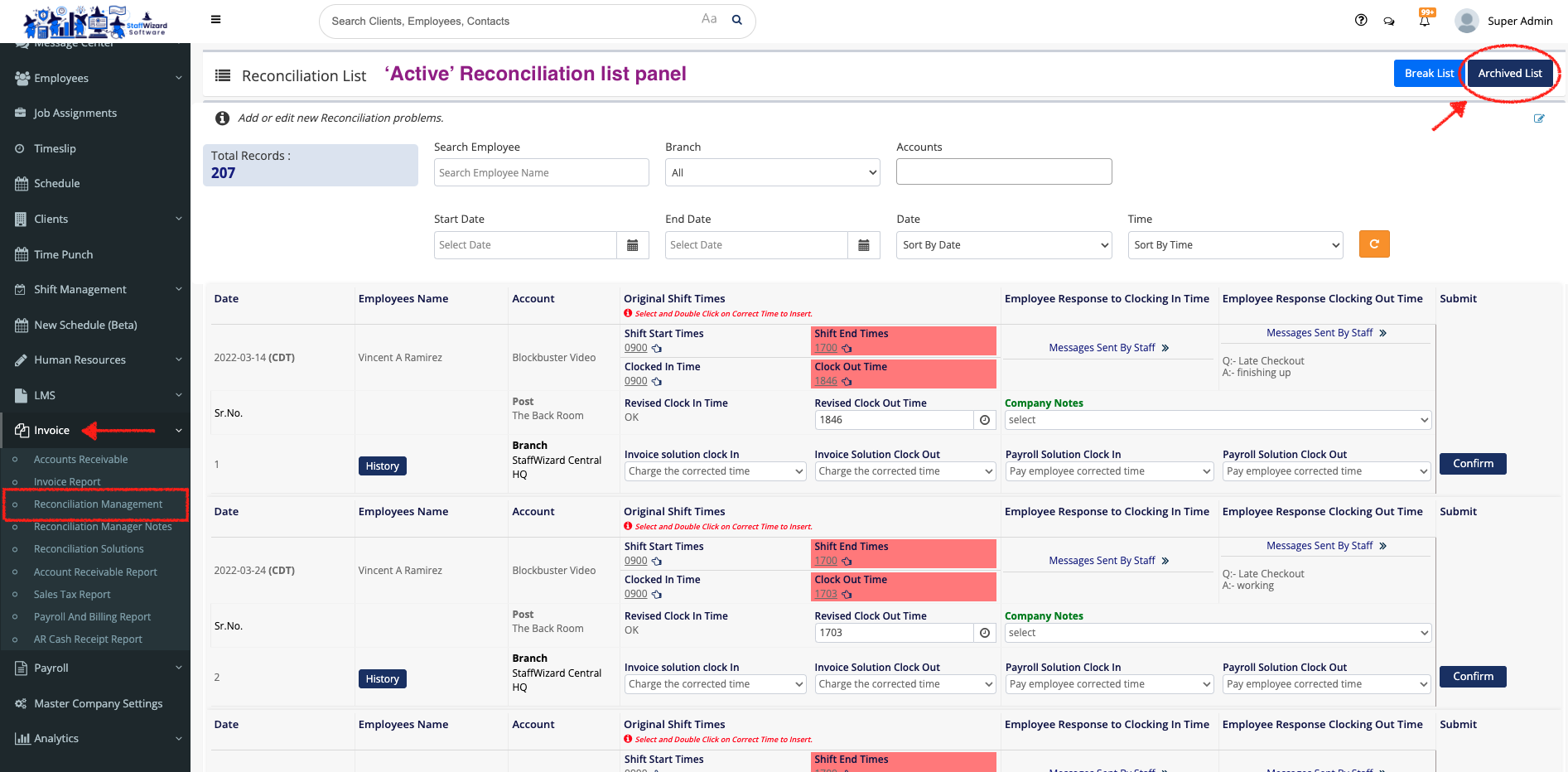
- Go to the 'Invoice' tab on the main menu on the left-hand side of the StaffWizard page, and select the 'Reconciliation Management' option.
- On the new panel that was displayed, you can see the 'Active Reconciliation list'. To see all the reconciliation shifts that have been done, click on the blue navy [Archived List] button to open the list.
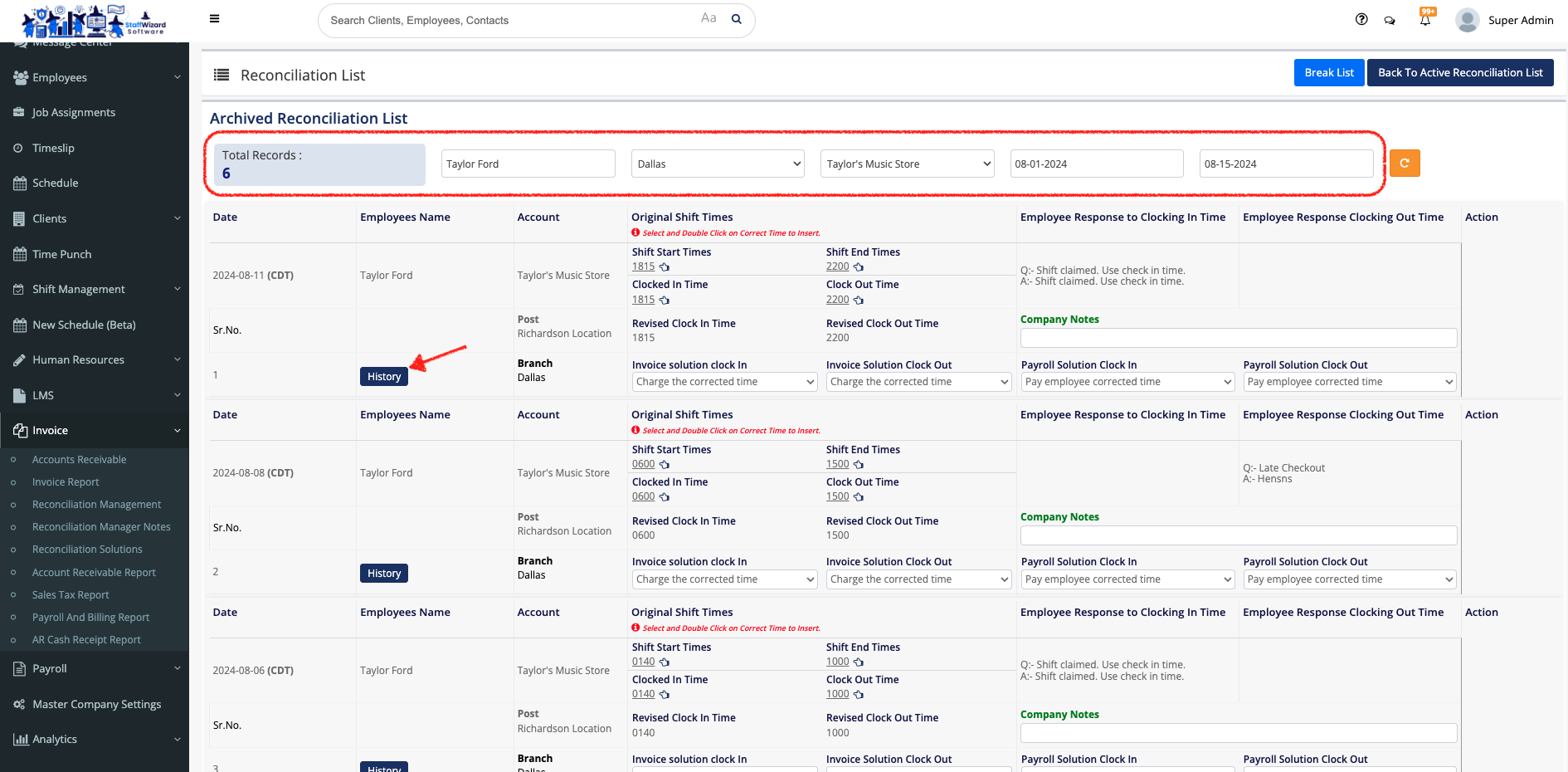
- On the new panel displayed, at the top of the page, by using the filters, you can search for specific information about the reconciled shifts that you need to review.
- Once you are done with the filters, search for the shift that you need to review and click on the blue [History] button on the left-hand side of the shift row.
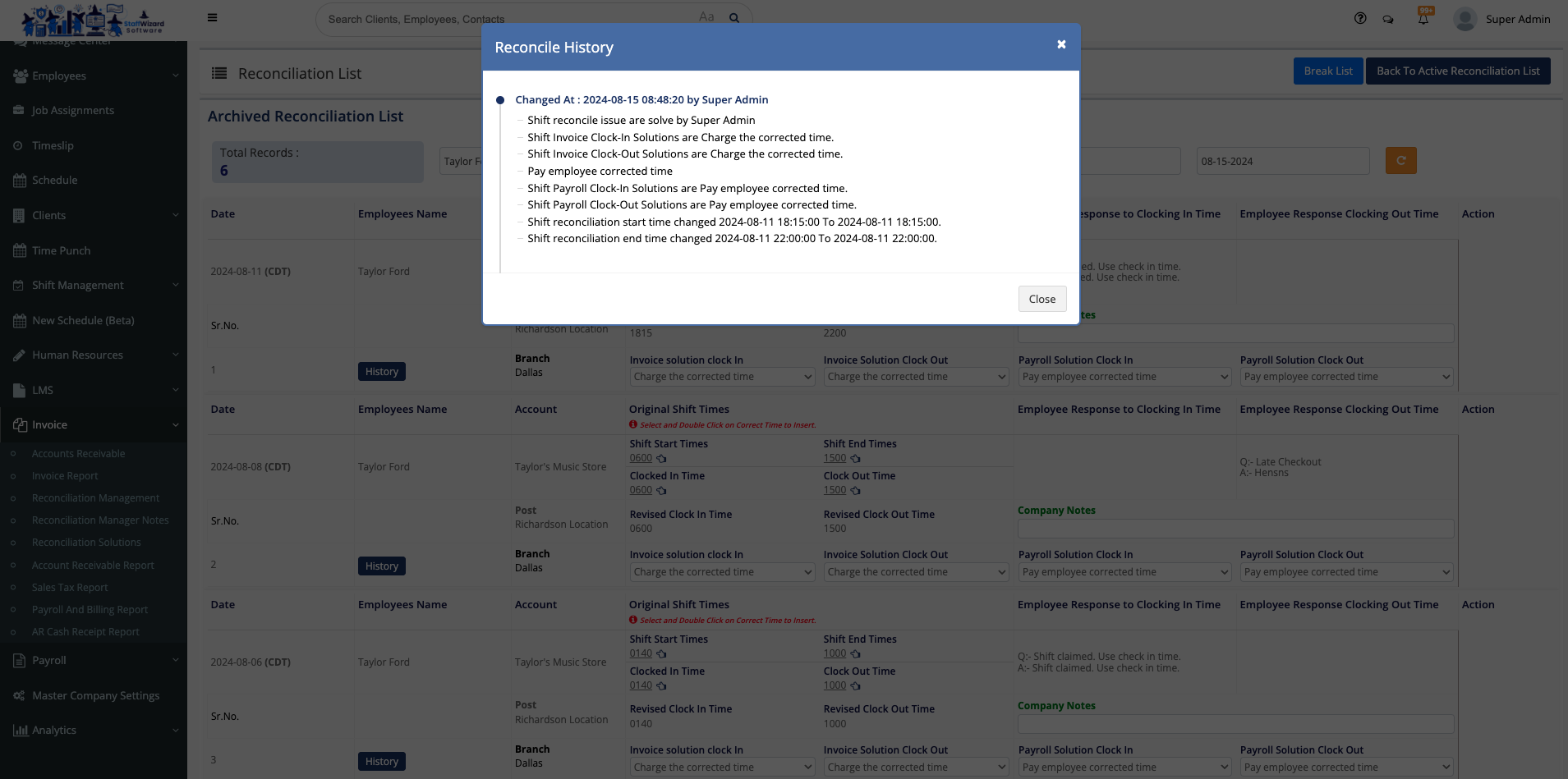
- A pop-up window will appear and here you can see the history of whom made changes on that shift.
Related to