
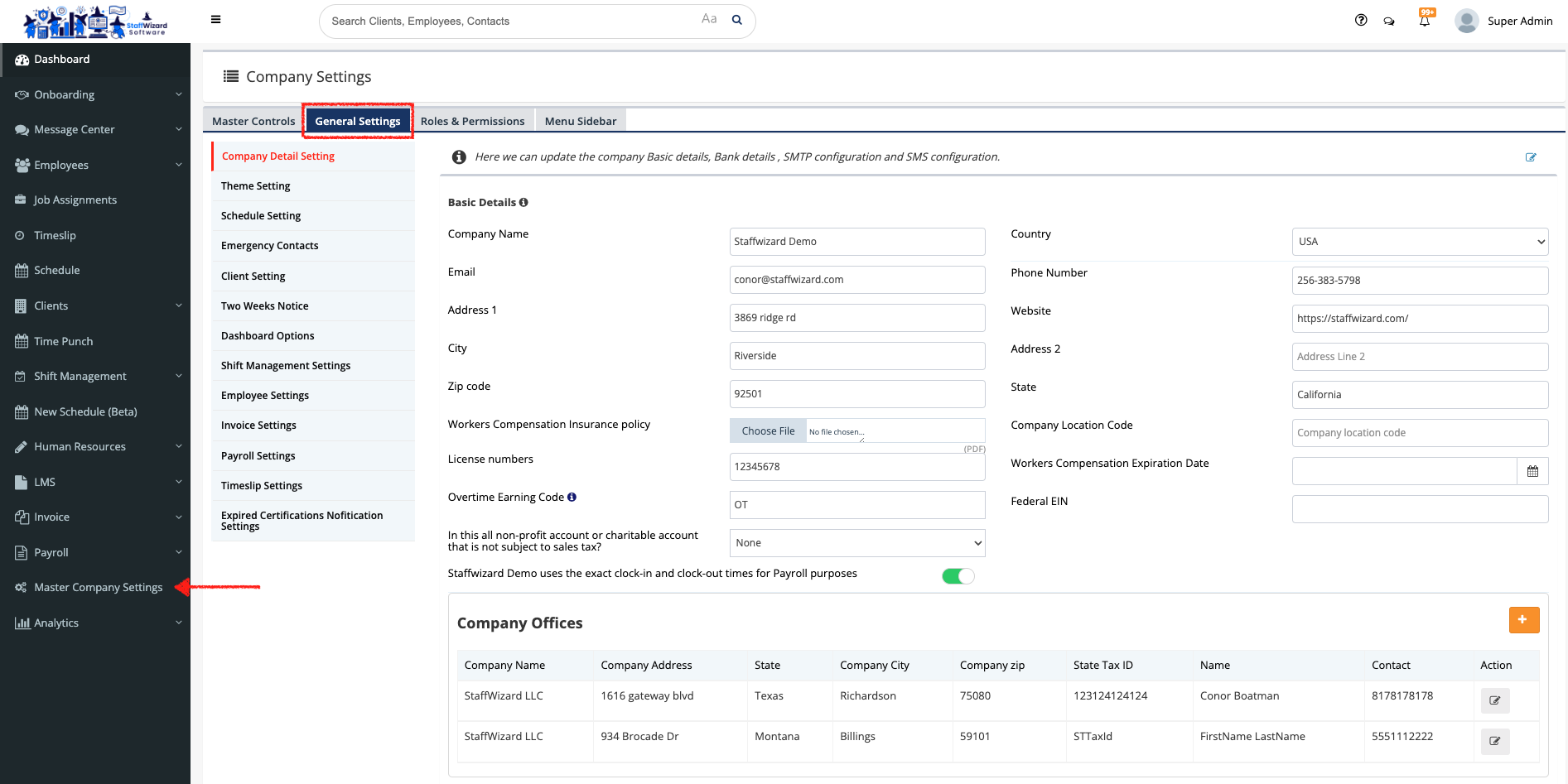
- Go to the 'Master Company Settings' tab on the main menu on the left-hand side of the StaffWizard page.
- On the panel that was displayed, on the tabs that are on the top of the page, go to the "General Settings" tab.
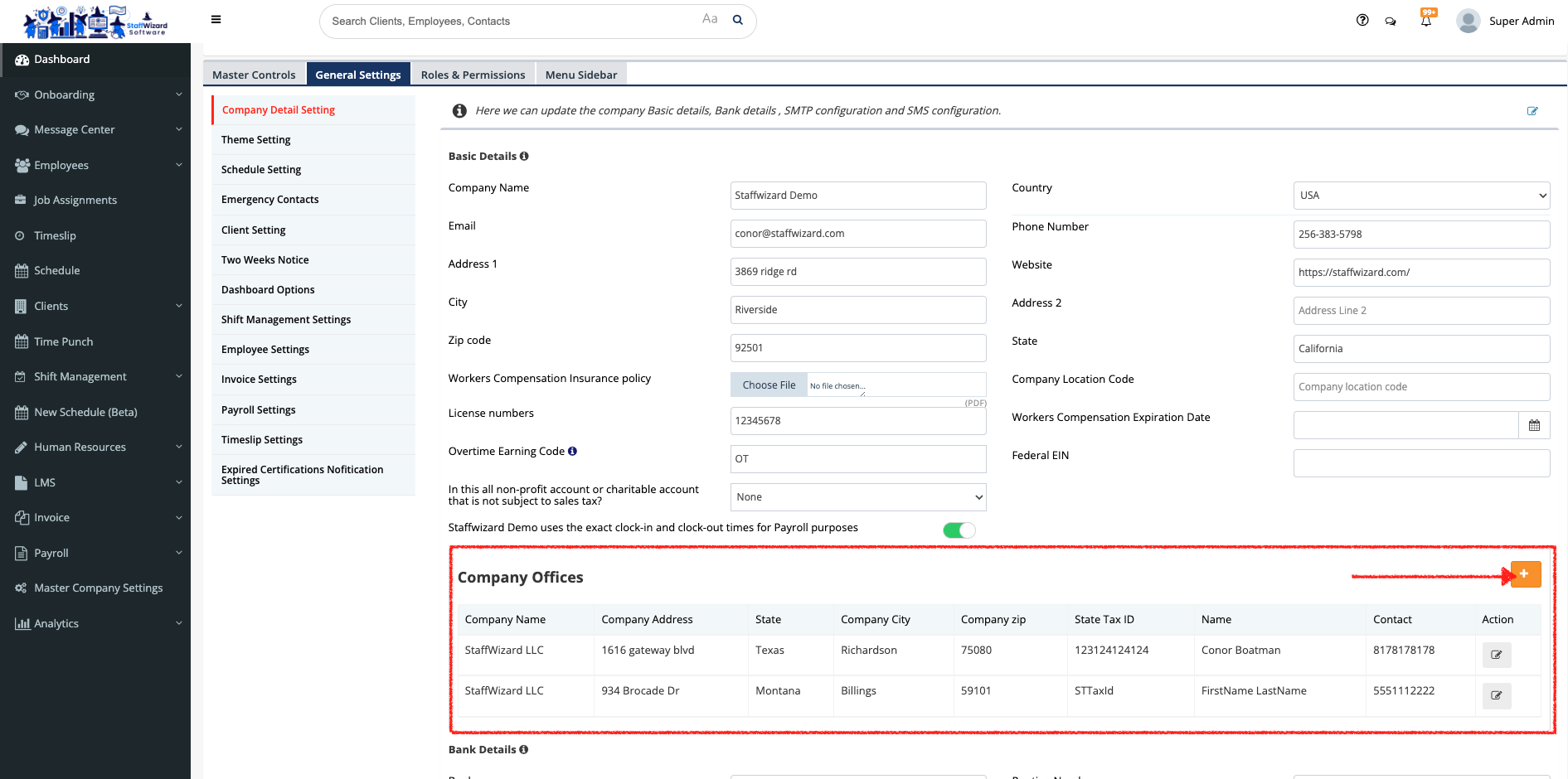
- On the left-hand side menu of the panel displayed, select the 'Company Detail Settings' tab, and navigate to the 'Company Offices' section. Click on the [+] button to add a company office.
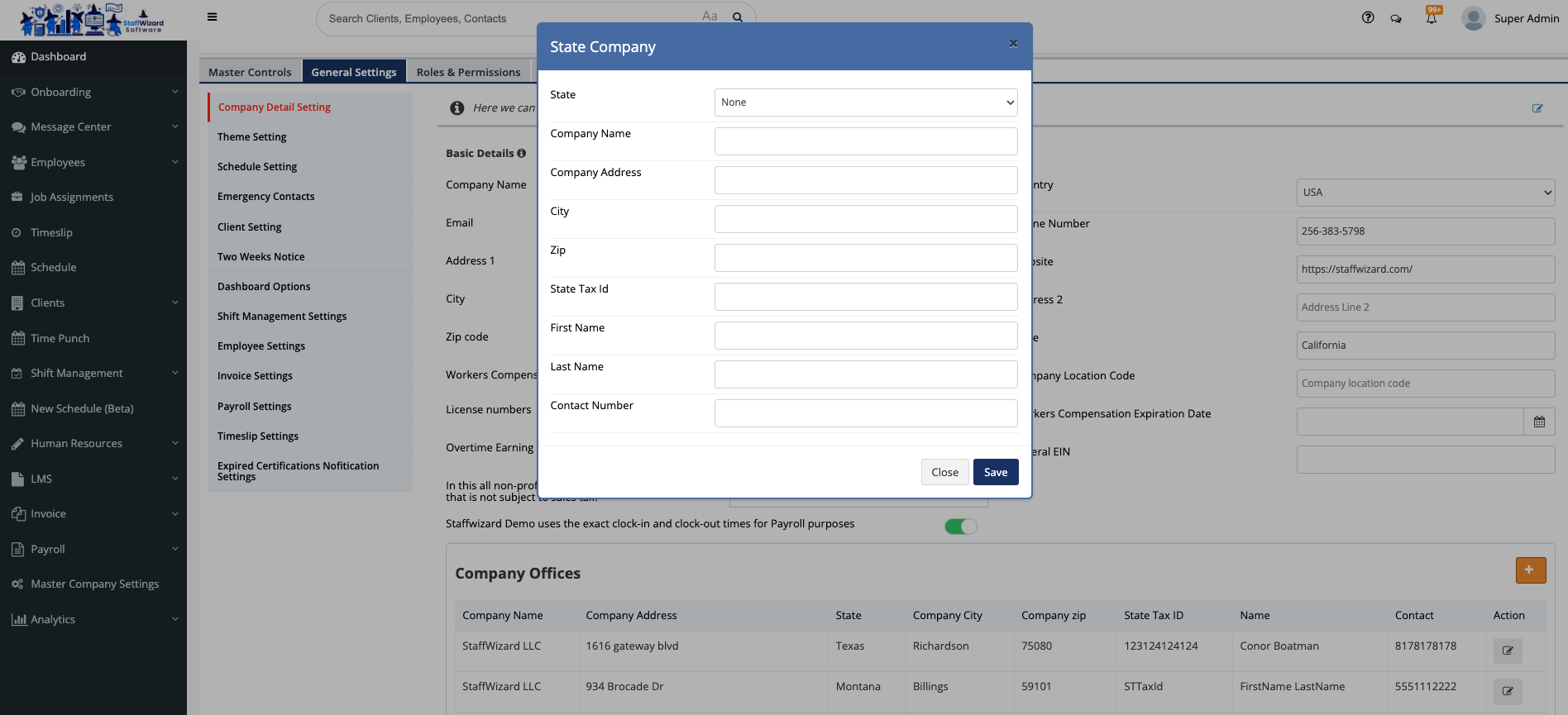
- A pop-up window will appear, in here you can put all the information for the company office.
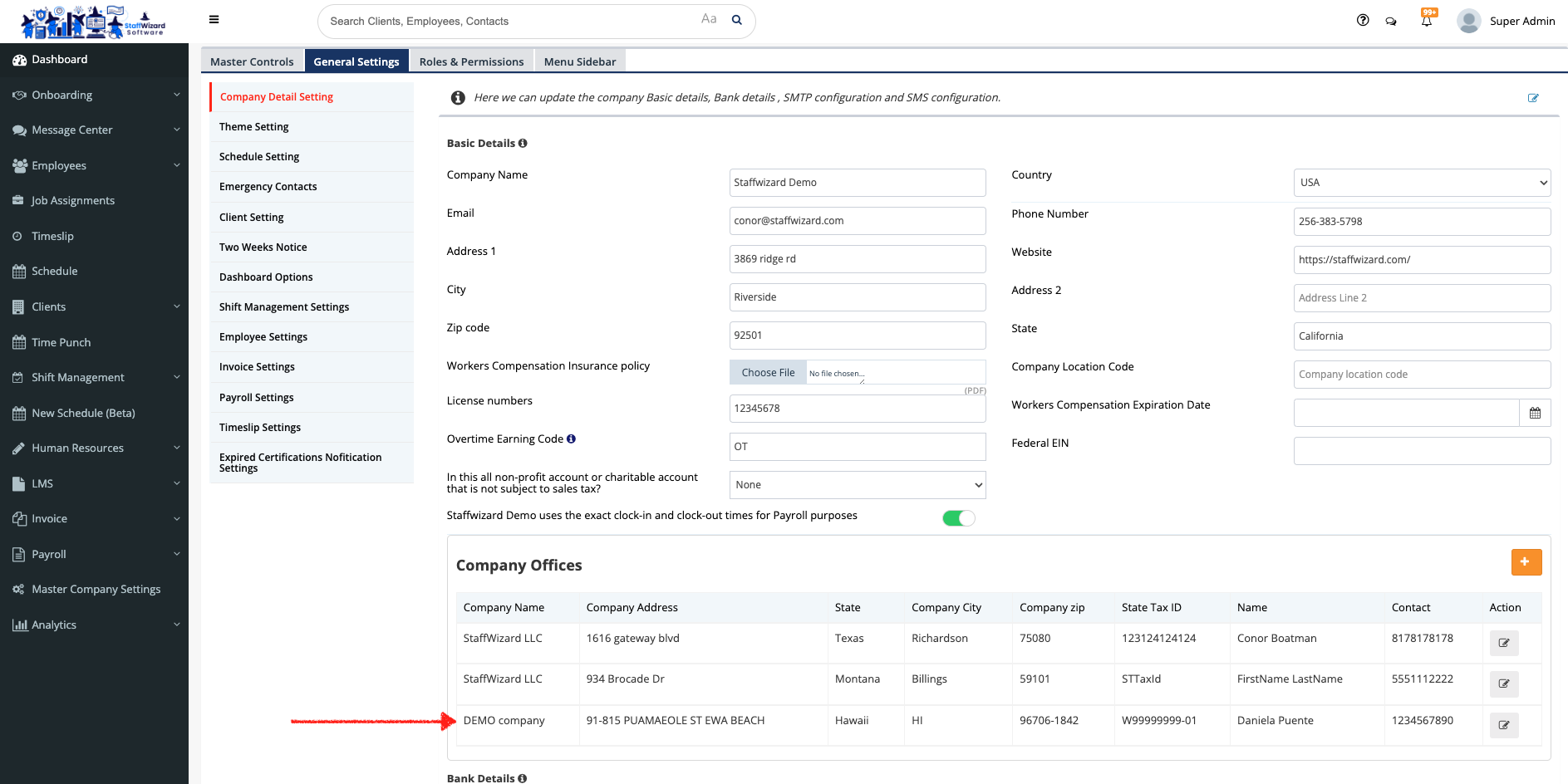
- Once you review that the information is correct you can hit the [Save] button at the end of the window and the new Company Office will appear at the end of the list.
Related to