
The Payroll Register Report is useful for viewing payroll information for a payroll period that does not include individual shift and or location information but earnings by hour type.
To access this report, navigate to the "Reports" module on the navigation bar and then search for Payroll Register. There are two ways to look for payroll information, by check date or by period as well as check type.
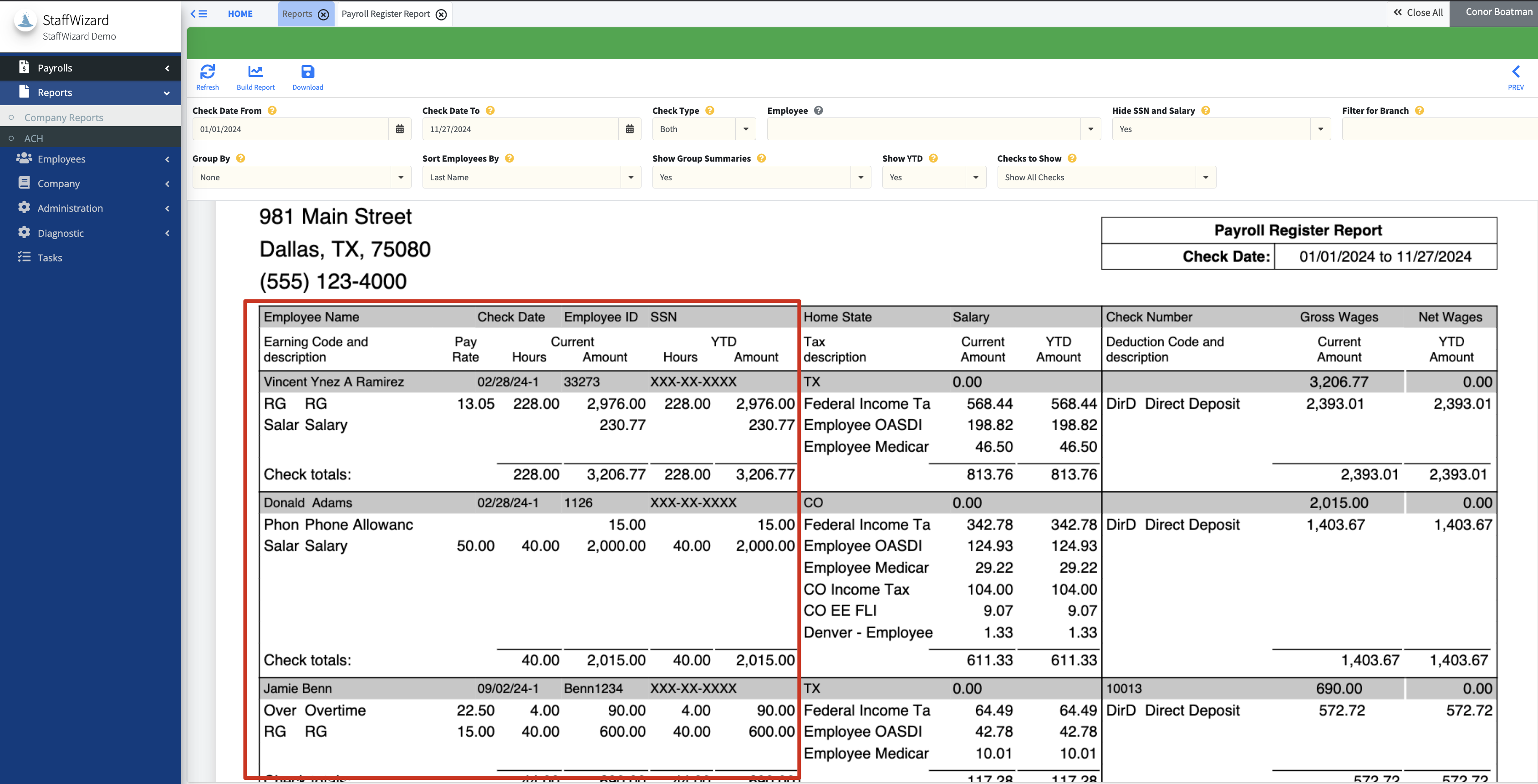
The report is separated into three categories of information, gross amounts and their corresponding earning codes.
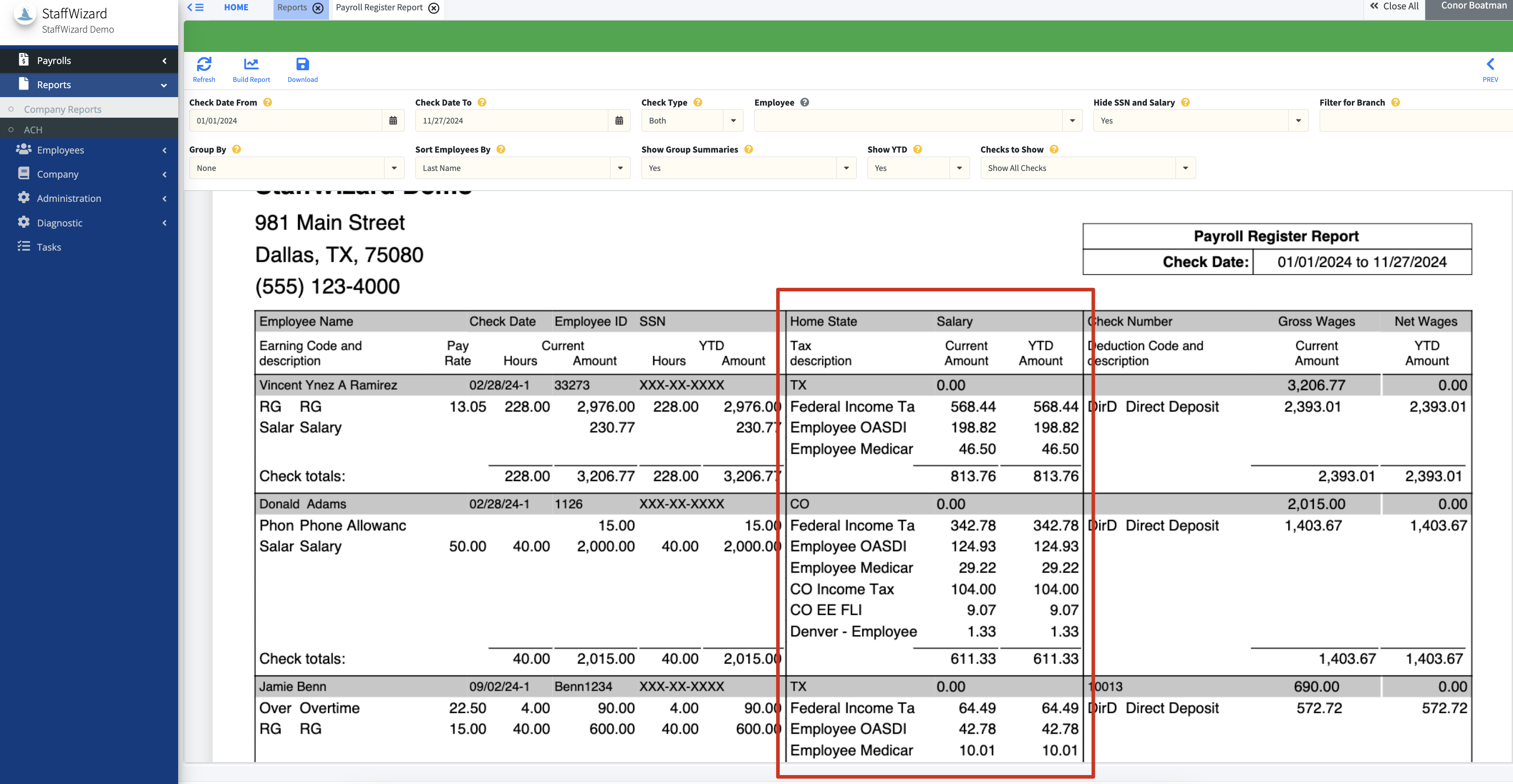
Individual Federal and State Taxes are owed for the defined time period.
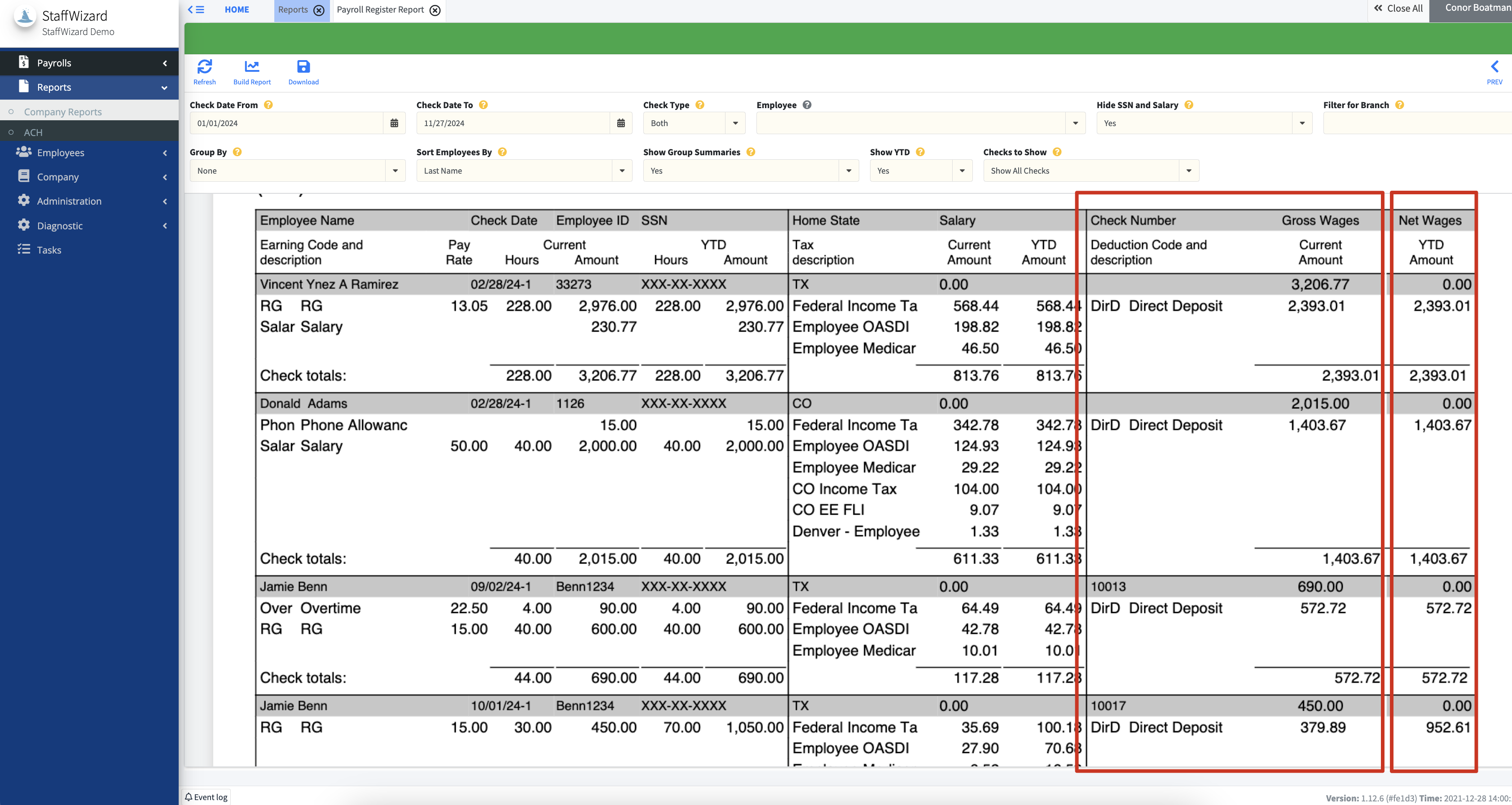
With the third and final being deductions and net amounts.
The system defaults the report to include group summaries but to remove them, set the filter at the top to "No".
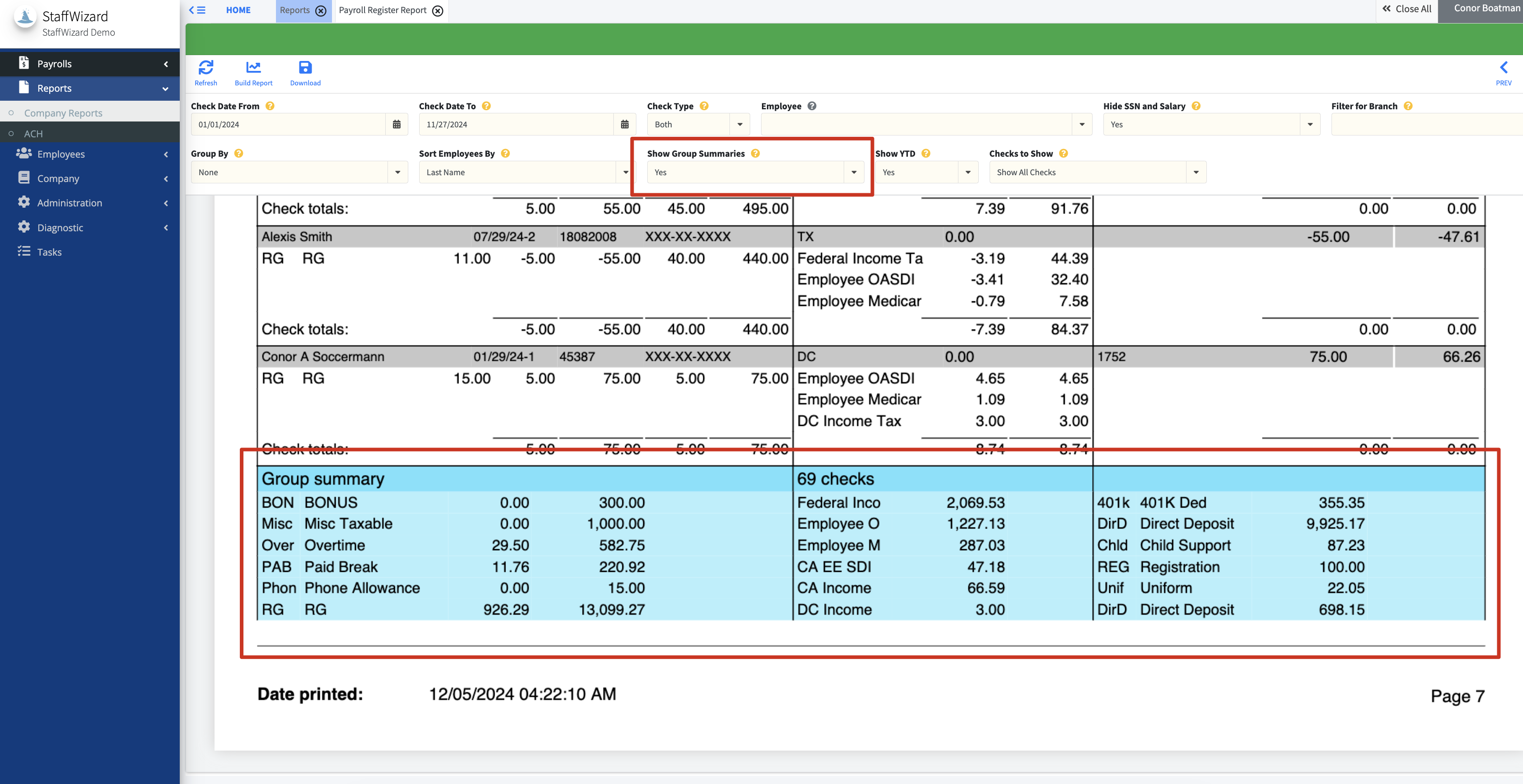
In both the preview, and the PDF-generated version of this report that is created by pressing the Download button there is a grand summary area that shows a total as well as individual earning, tax, and deduction categories for all groups. The total number of checks will also be shown.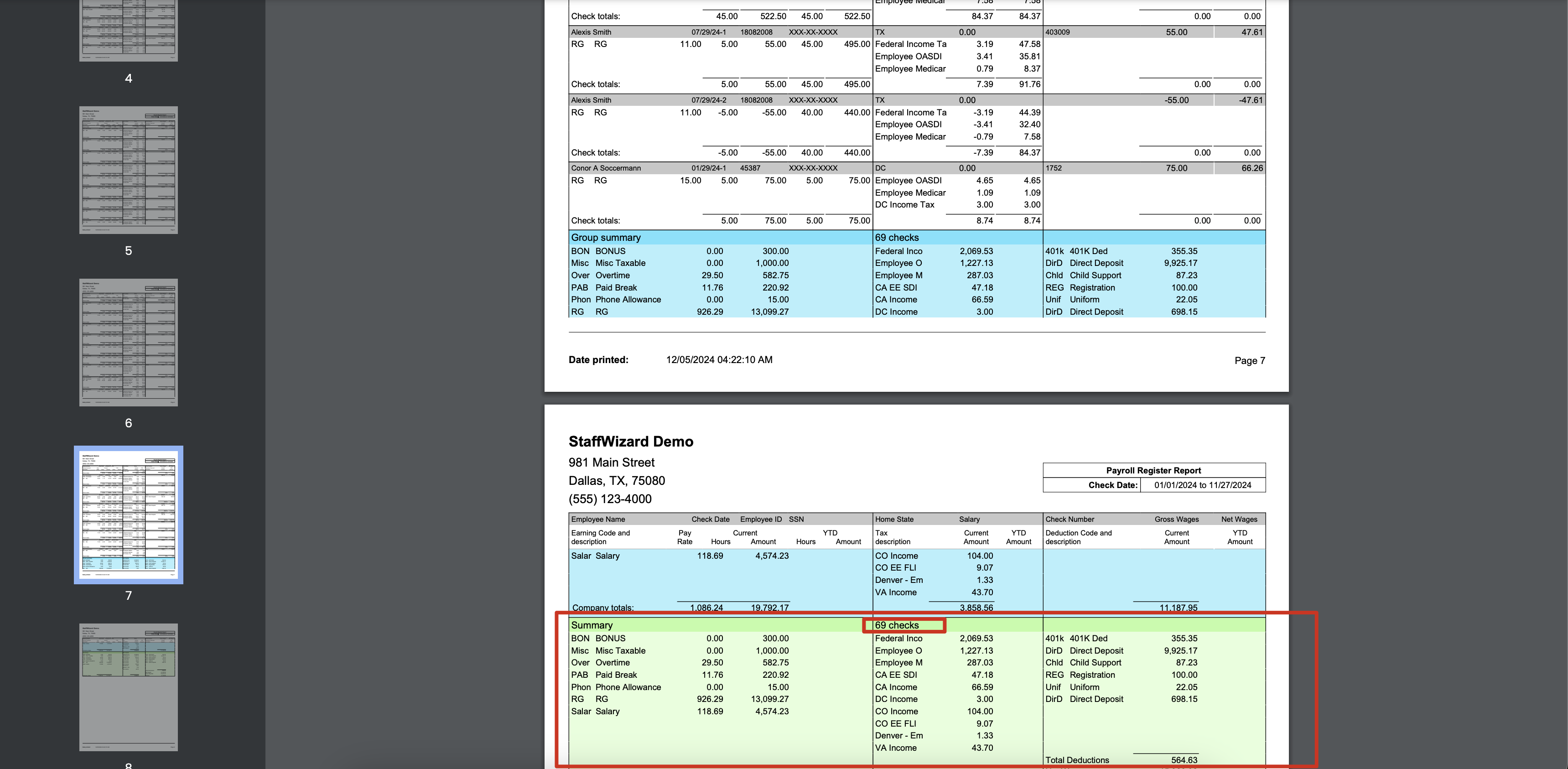
Related to