
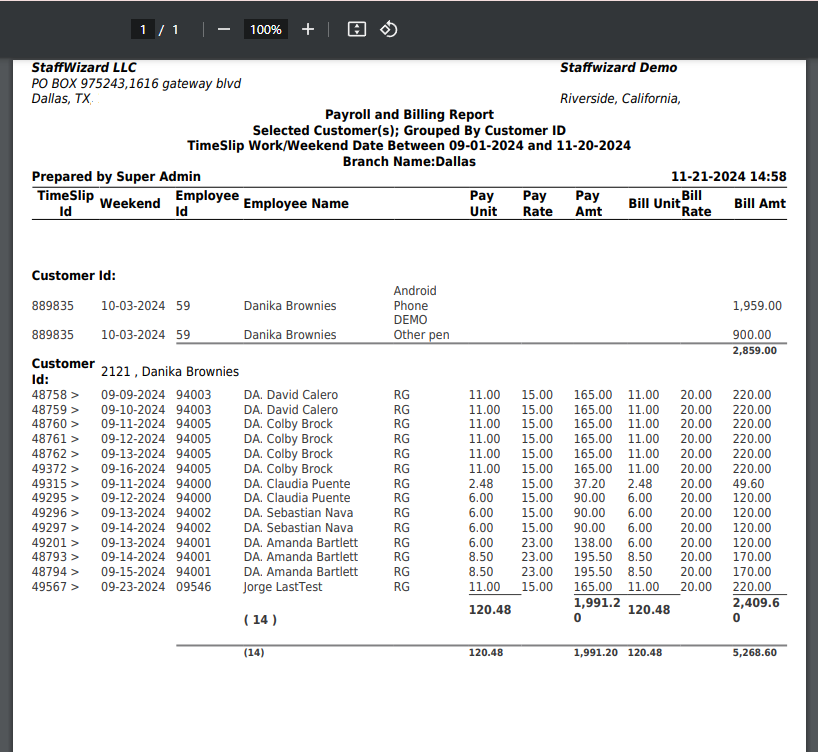
The Payroll & Billing Report provides a comprehensive view of payroll and billing data for both clients and employees. It includes detailed information such as:
- Client Details: The specific clients where employees provided services.
- Shift Dates: The dates on which employees performed their duties.
- Earning Codes: Categorization of hours worked (e.g., regular, overtime, holiday).
- Hours Worked: Total hours logged for payroll and billing purposes.
- Hourly Rates: The dollar amount per hour assigned to each employee for payroll and billing.
- Grand Totals: Summarized totals for all numeric columns, including hours worked and monetary amounts, providing a clear snapshot of overall payroll and billing figures.
This report serves as a key resource for verifying payroll and billing accuracy, ensuring streamlined processes.
How to build it...
If you need to create a Payroll and Billing report, go to the lateral menu of your instance and click the tab "Invoice", you will see the option "Payroll and Billing Report"; open the tab and you will see the filters for you to input the information desired for the system to build the report. 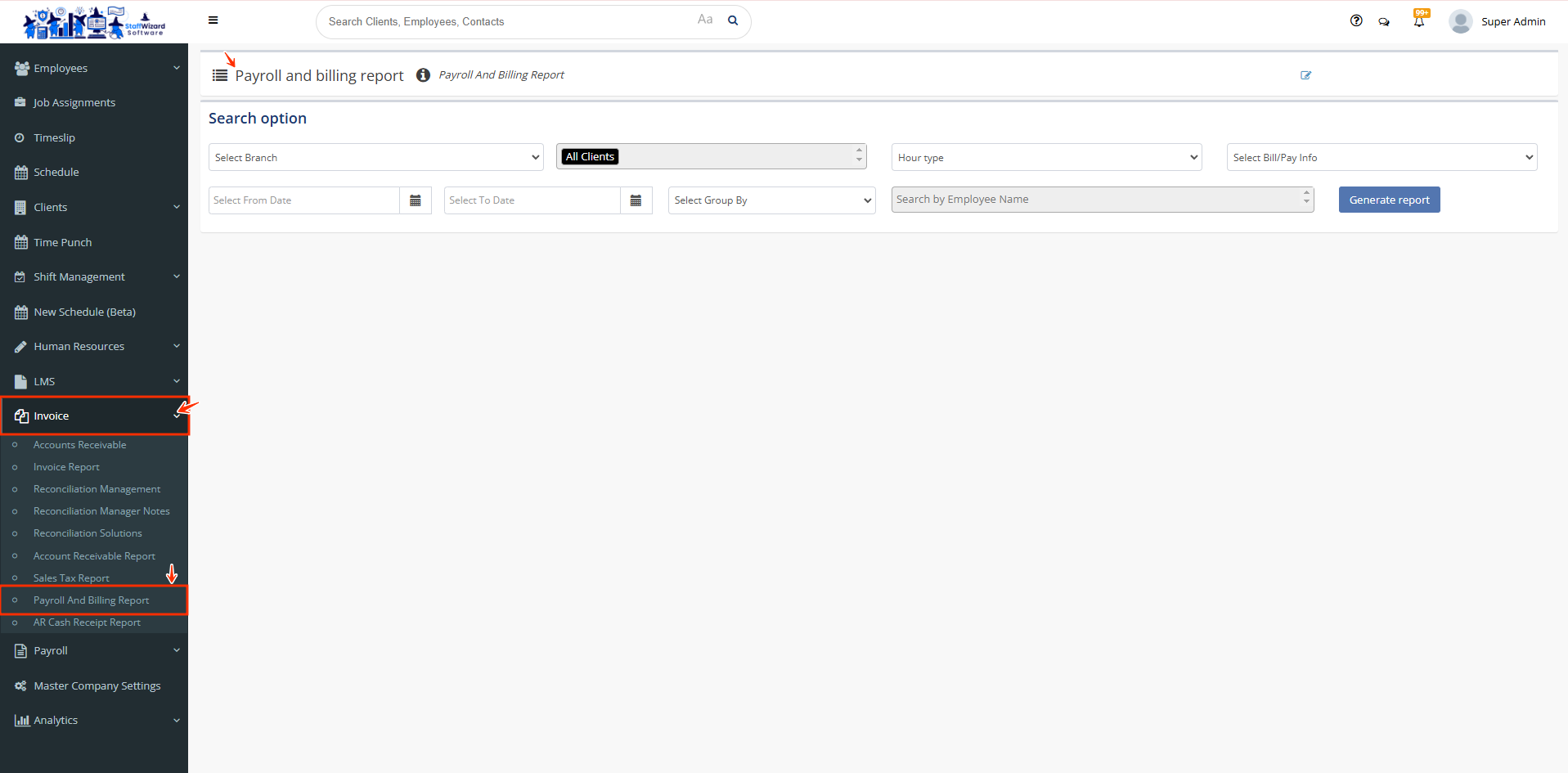
Filters it contains:
- Branch Selection = Single Branch Selection
- Client Selection = All, Single, or Multiple selections
- Hour Type = All Hour Types, Normal Hours, Overtime Hours
- Pay/Bill Info = Payroll information only, Billing information only, Both
- To & From Date Selection
- Group By = Client ID, Client Name, Employee ID, Employee Name, State, Post,
- Employee/Client/Earning Code
- Employee Search = All, Single, or Multiple selections
Once you click the blue button "Generate report" that is below the filters previously set, the report will automatically downloaded to your device in PDF format.
Related to