
To review any past disciplinary actions associated with an employee, follow the steps below to access their history and view detailed records directly within their profile.
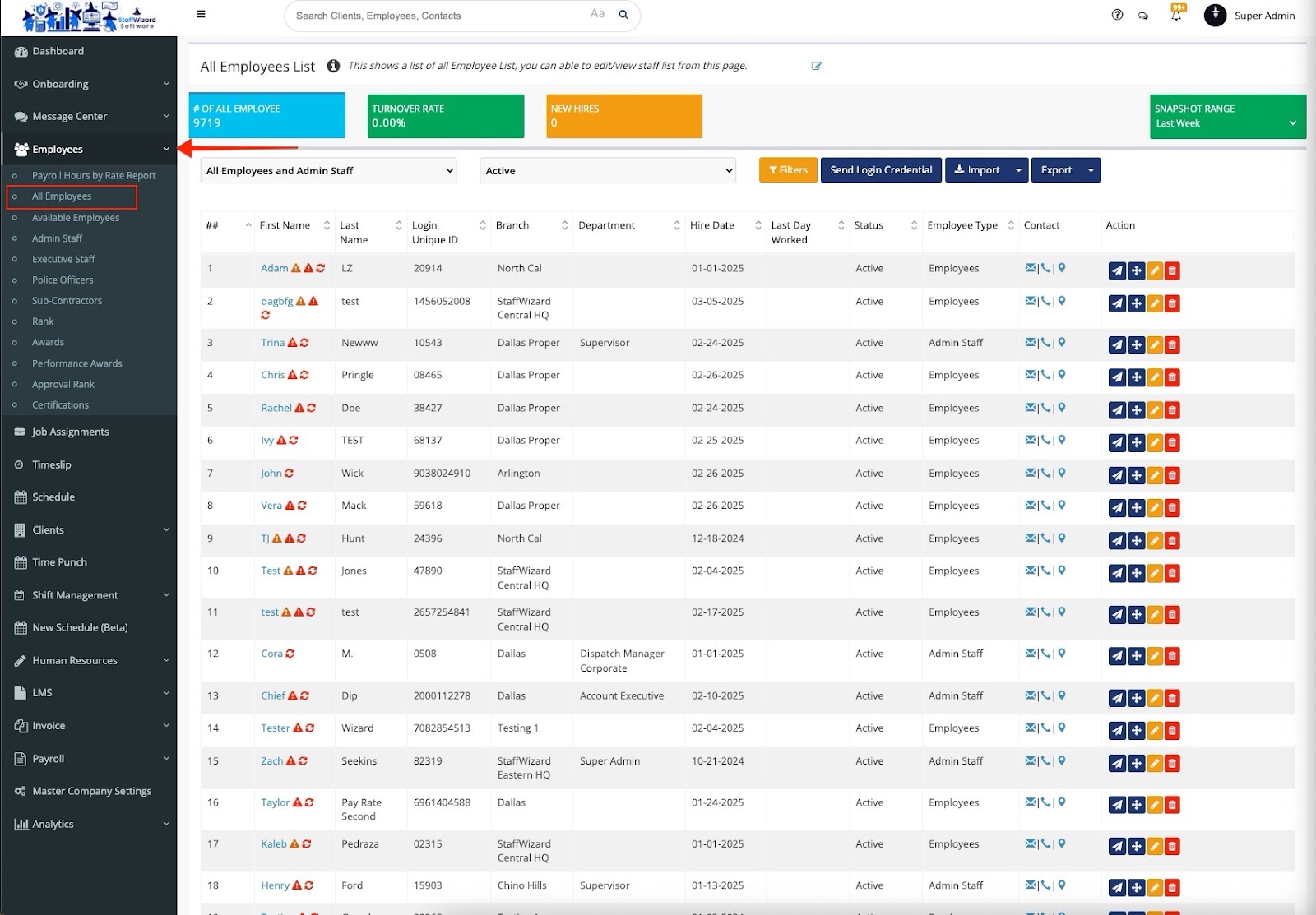
Navigate to the left-hand menu and select “Employees.” A dropdown menu will appear—click on “All Employees,” then choose the employee you want to view disciplinary actions for.
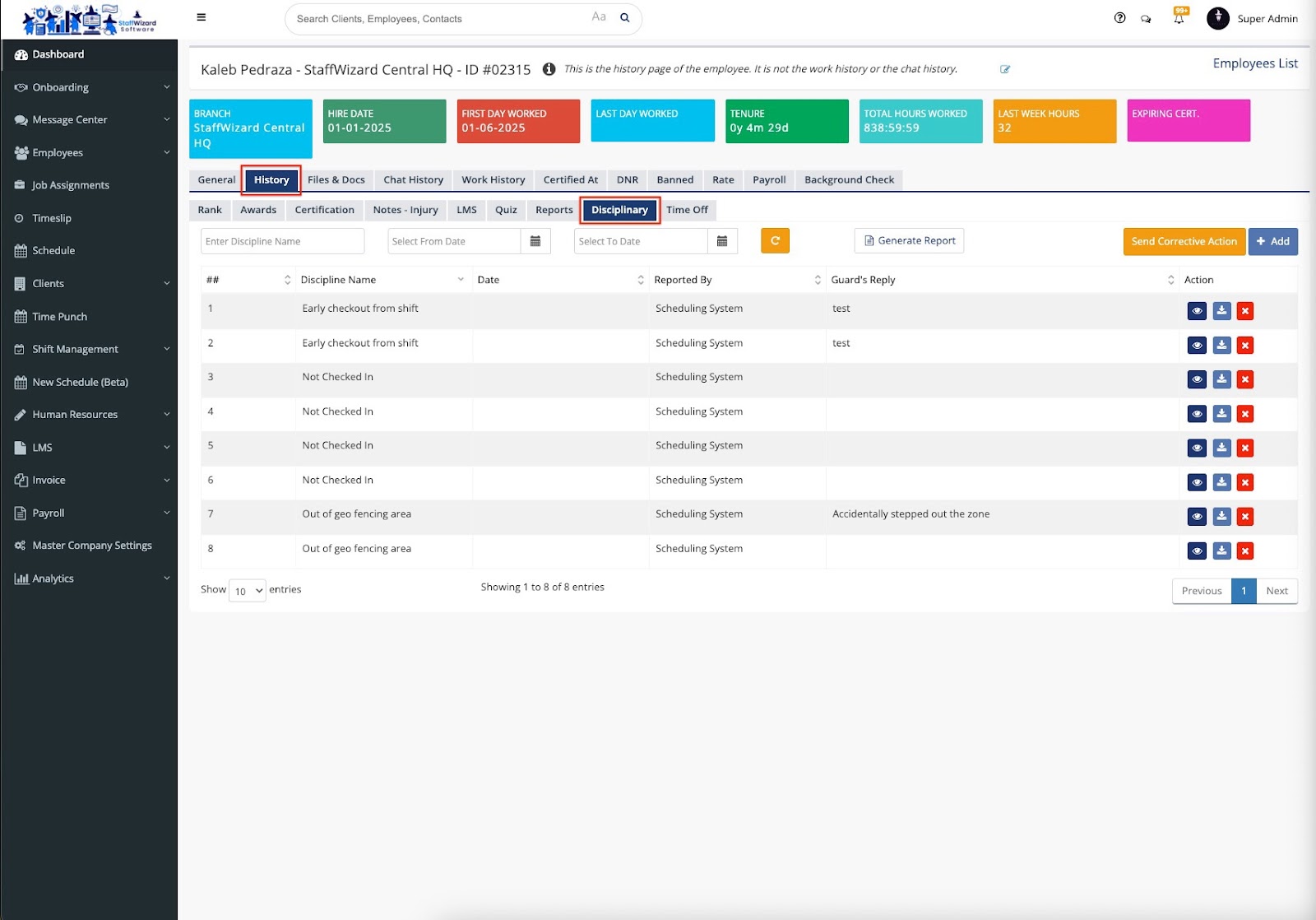
Once inside the employee’s profile, click on the “History” tab, then select “Disciplinary.” Here, you’ll see a list showing the order of incidents, the Discipline Name, Date, who reported it, the Guard’s Reply, and available actions. The action icons allow you to View, Download, or Delete each entry.
Related to