
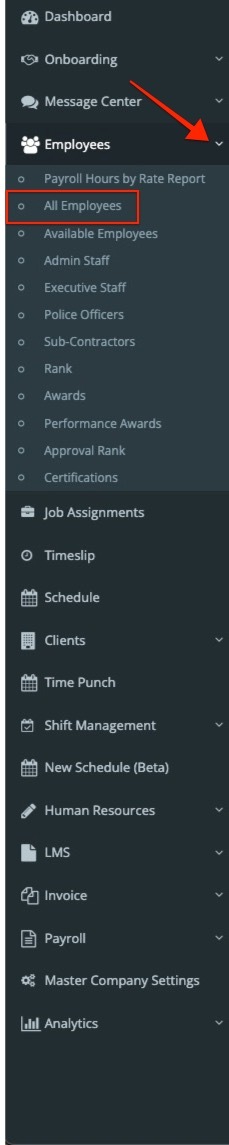
If you need to send login credentials to an employee, go to the left menu panel and select “Employees.” A dropdown menu will appear—click on “All Employees.”
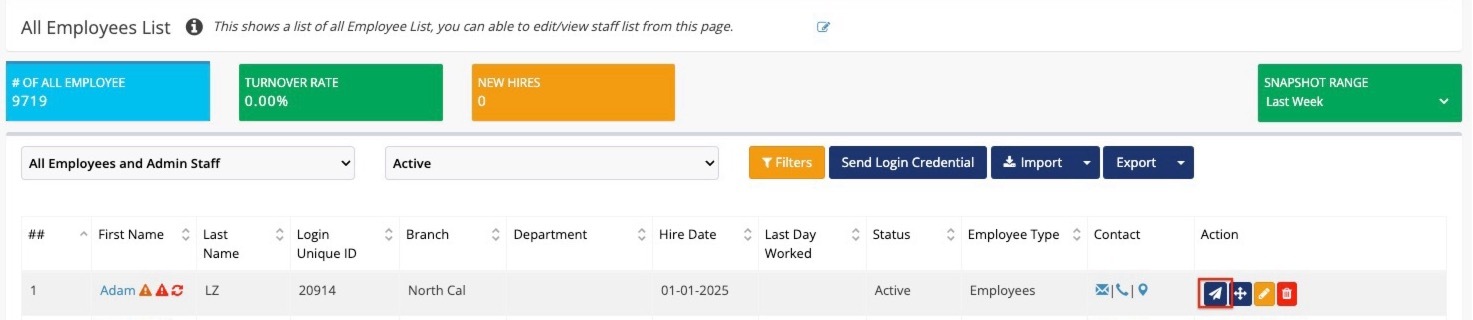
Find the employee who needs their login credentials, then go to the Action column and click the paper airplane icon to send their login information.
The employee will receive their login credentials shortly after, which will include their Employee ID and Password.

Related to