
This article will help you once you know how to add a "Personnel Change Form(PCF)" if you want to know how to do it, read the article below:
PCF (Personnel Change Forms)
When you are adding a "Personnel Change Form(PCF)" but the reason why the officer is going to be out of the Post Location doesn´t match with the option populated, you can read the following article to see how to add a new one or edit the existing ones. 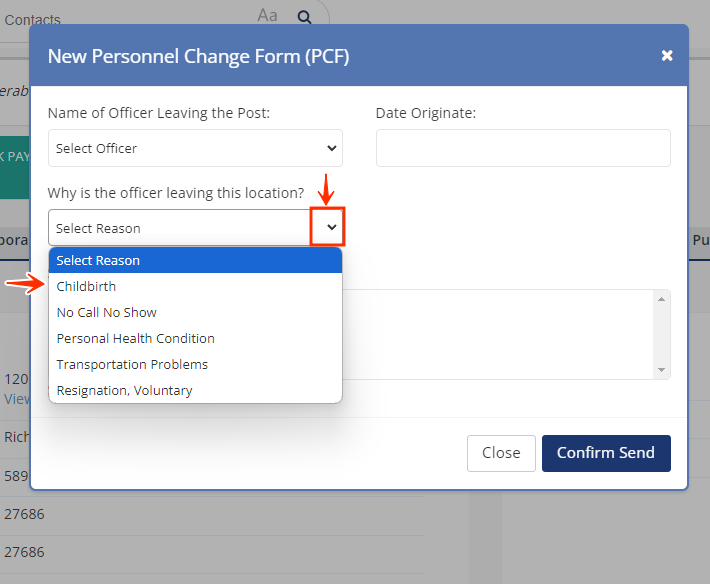
-
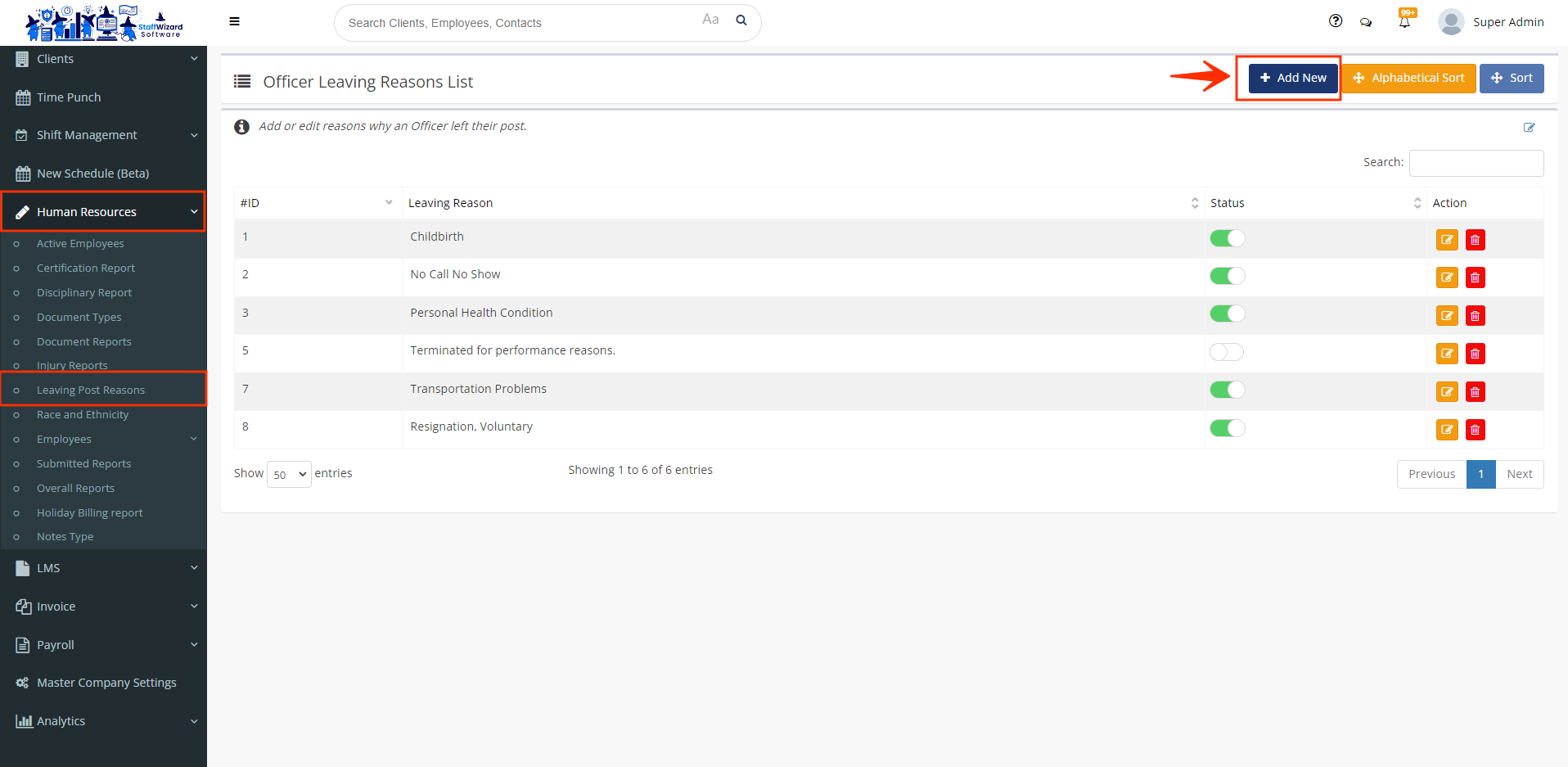
On your lateral menu, go to the "Human Resources" tab and select the section "Leaving Post Reasons". There you will see a list of the options currently enabled to populate as a leaving reason.
-
Locate the button [+Add New] and click it.
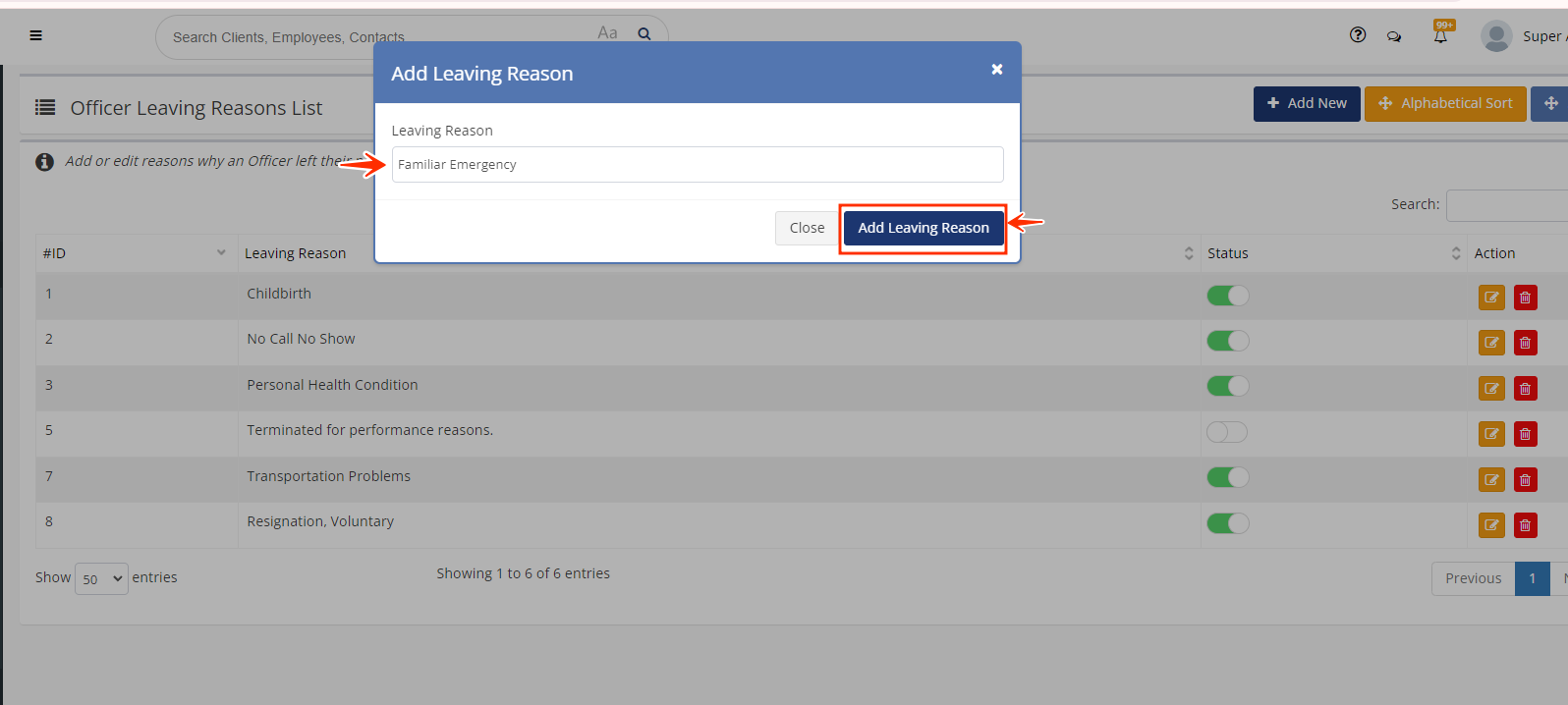
- Type the leaving reason and click the button "Add Leaving Reason".
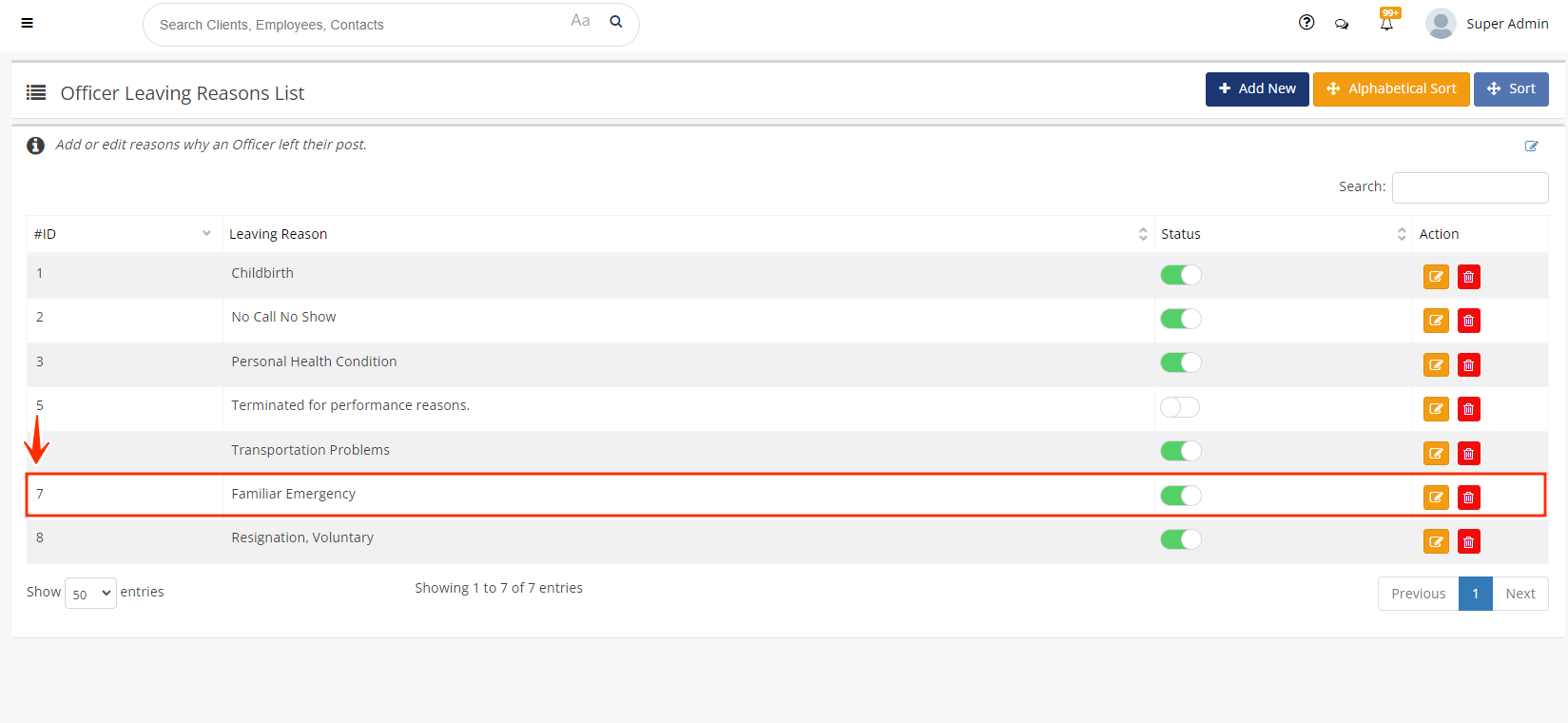
- You will see the reason added to the list. Here you can edit or delete it using the action buttons on the right-hand side of the screen.
Related to