
-
On the main menu on the left-hand side of your Staffwizard page, click on the"Employees" tab, and select the section "All Employees".
-
Locate the employee on the list or filter the search by the employee´s name.
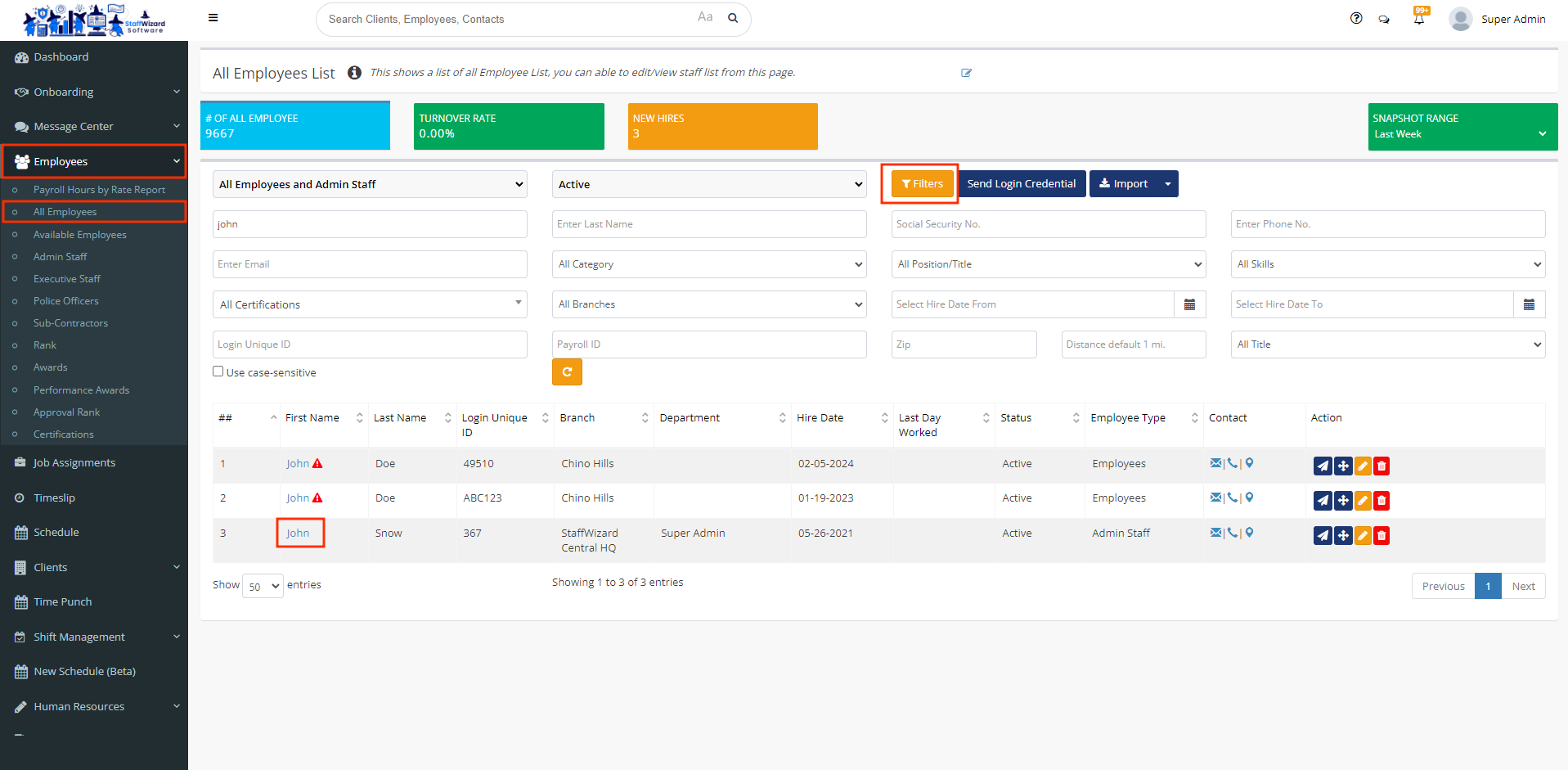
- Double-click on their name to open the user´s general information.
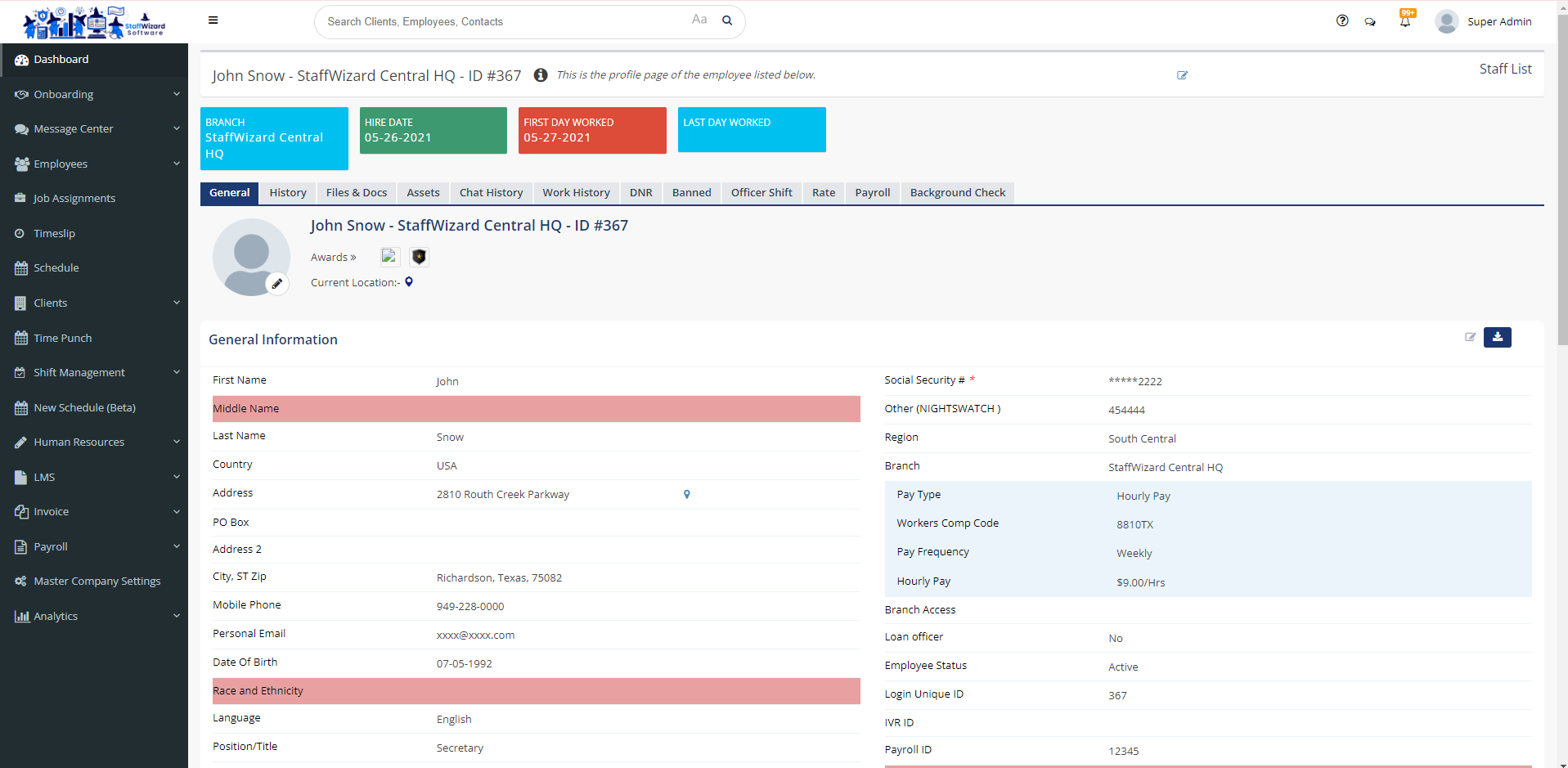
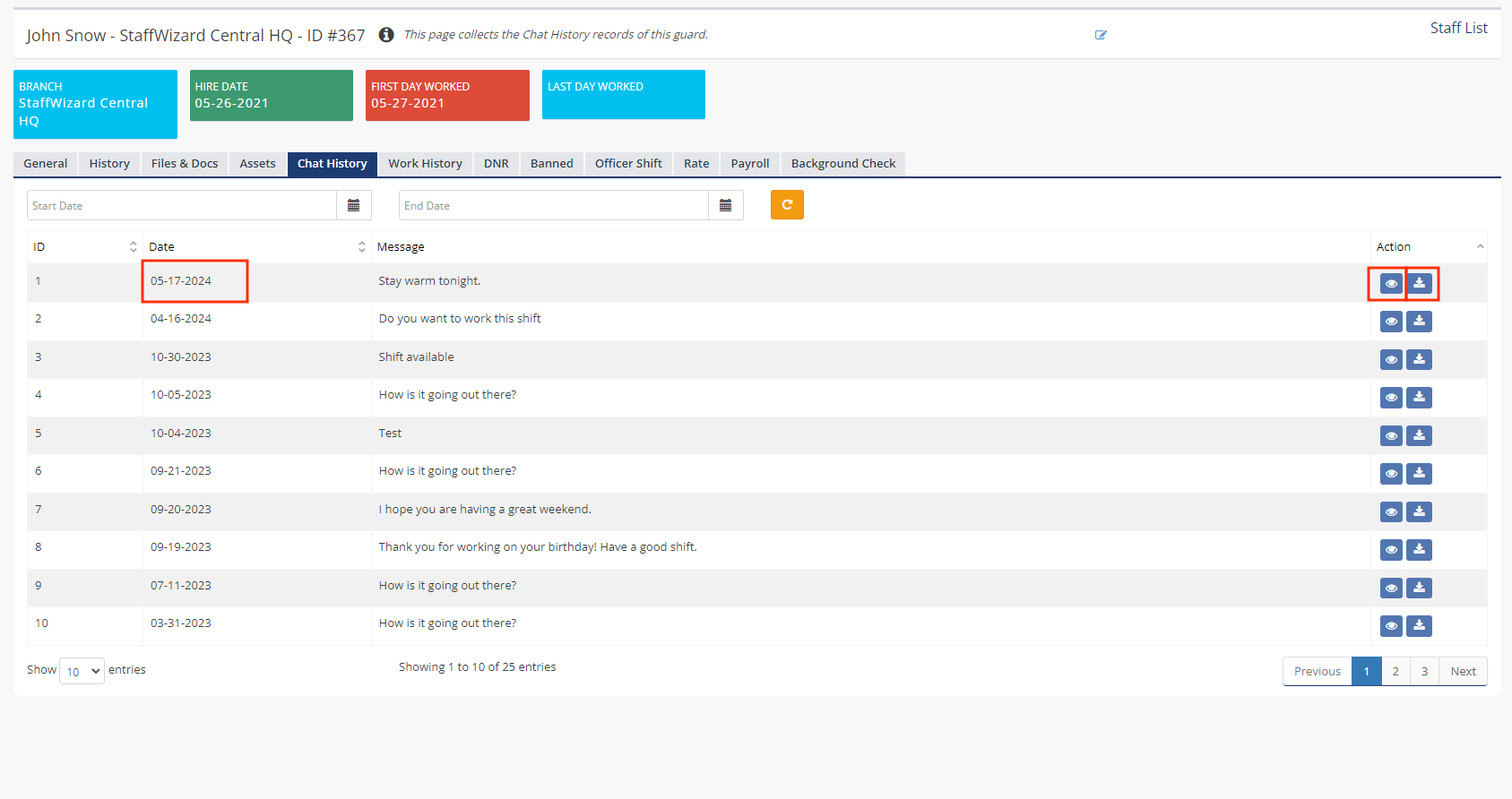
- Click the tab "Chat History", which will display a list of the chats of the employee that you can filter and see by dates. You can click the first button on the right-hand side of the screen to "View" and the second button to "Download" the chat history.
Related to