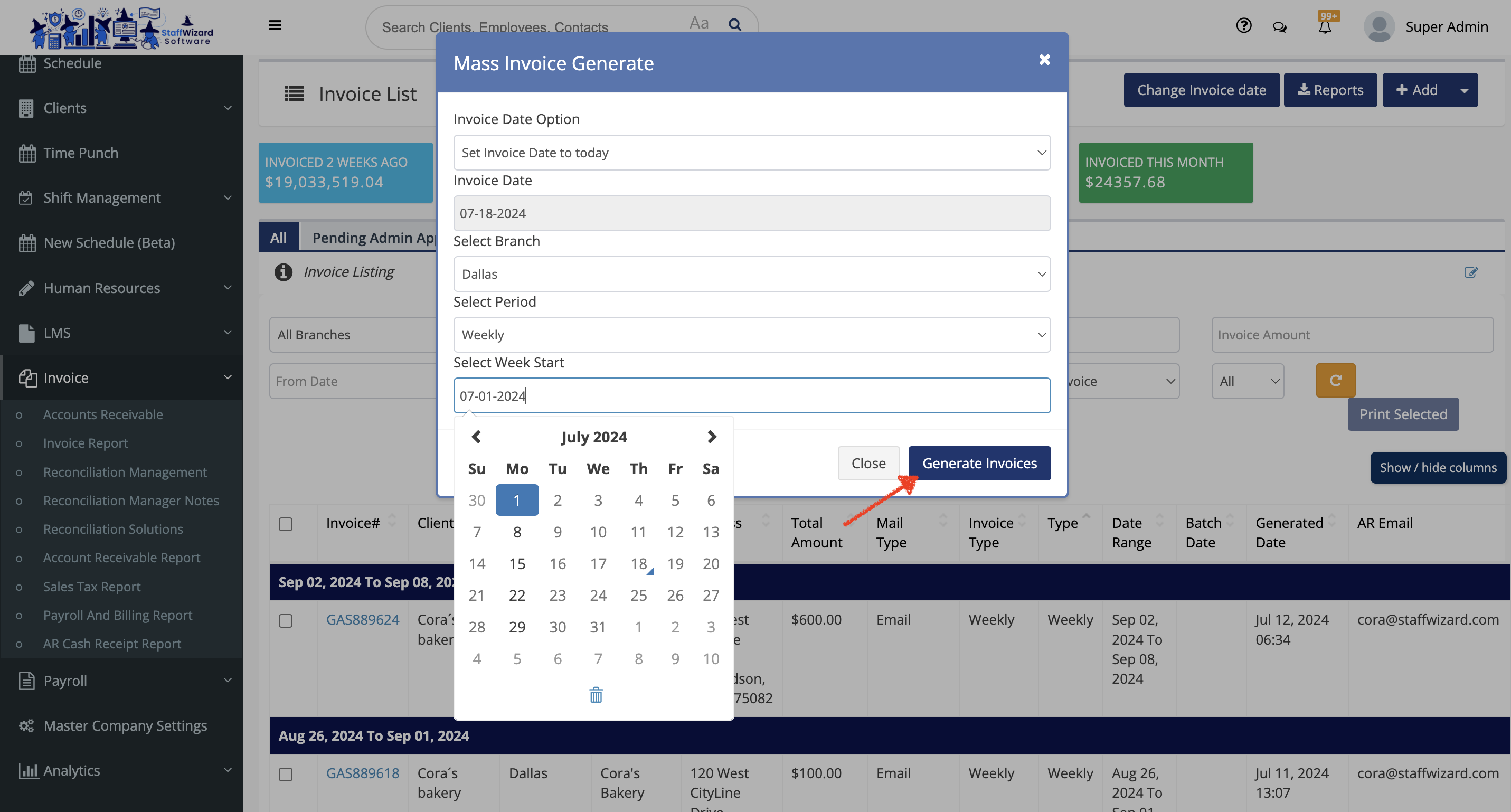
This tool is used to generate invoices based on branch, invoice type (weekly, bi-weekly, monthly) and the starting of the invoice period.
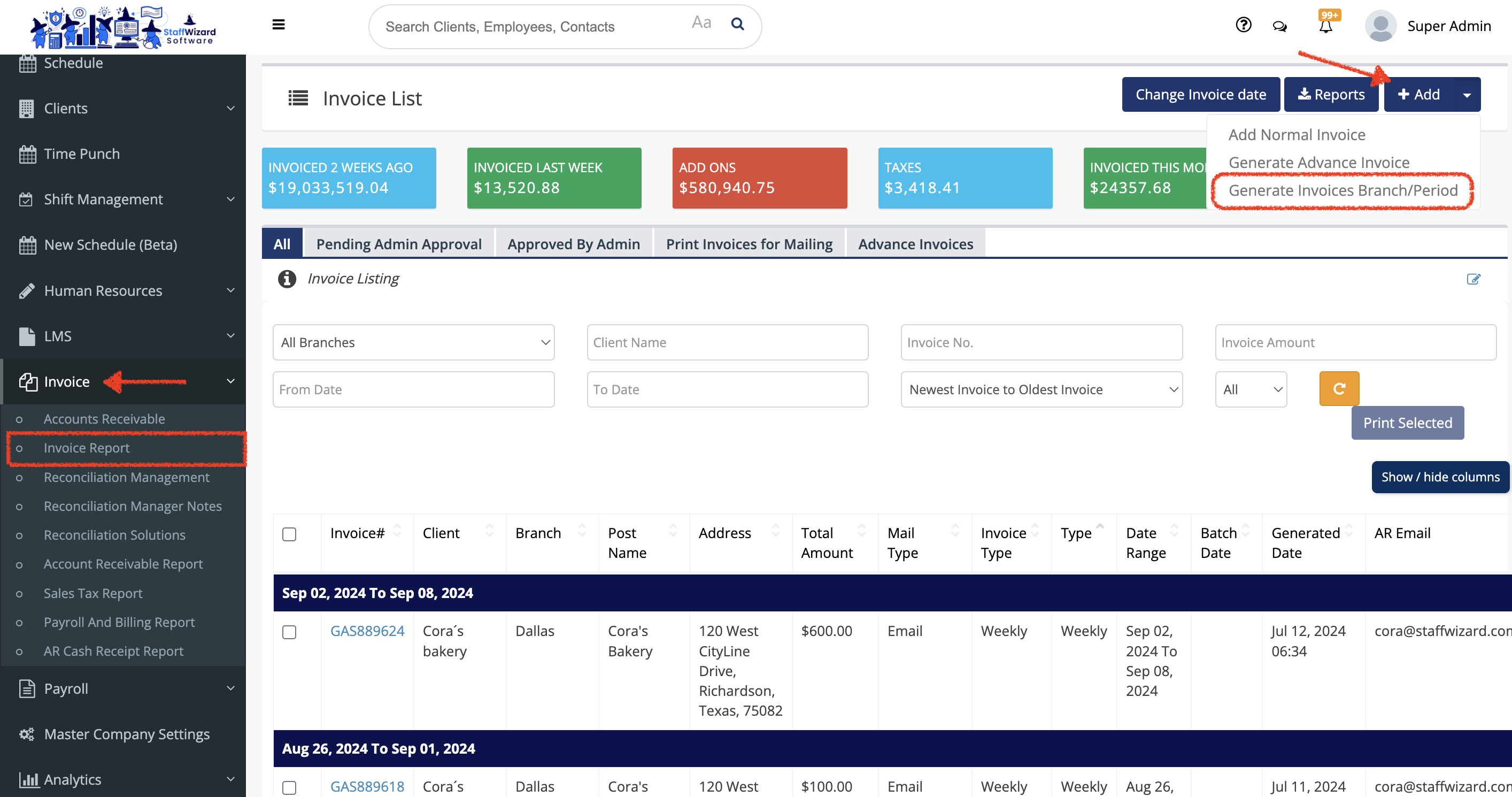
- On the main menu on the left-hand side of the StaffWizard page, under the 'Invoice' tab, select. "Invoice Report"
- In the page that was displayed, go to the [+ Add] button on the right-hand side on the top of the page to display the options and select "Generate Invoices Branch/Period"
- A pop-up window will open, and in here you wanna fill out the information required.
- After checking that the information is correct, you can save the changes by clicking the [Generate Invoices] button at the end of the panel.