
- Employee status coordinates with what filters are selected when searching for an employee but also define whether if the specified employee can be assigned to a clients or access the system.
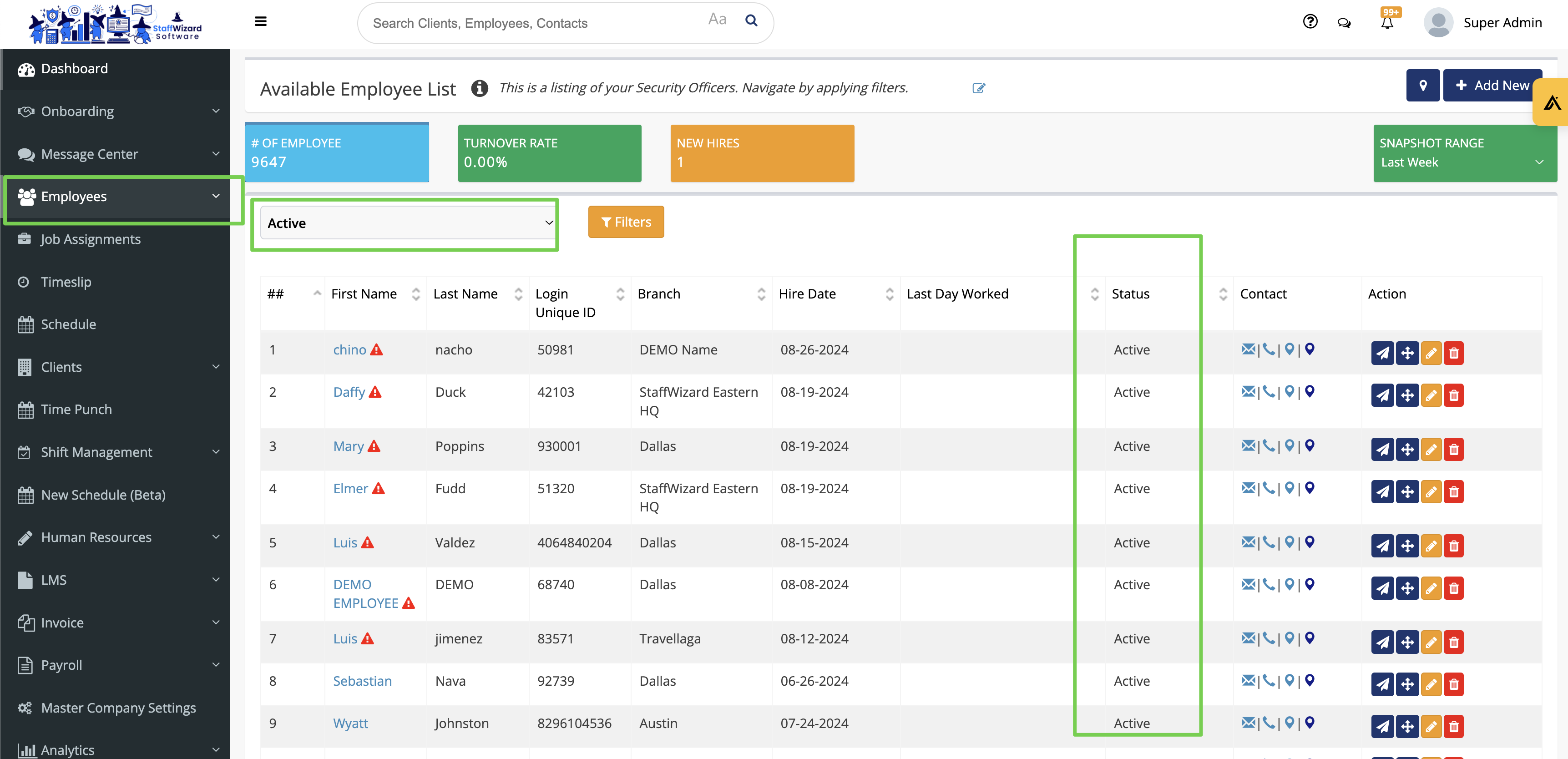
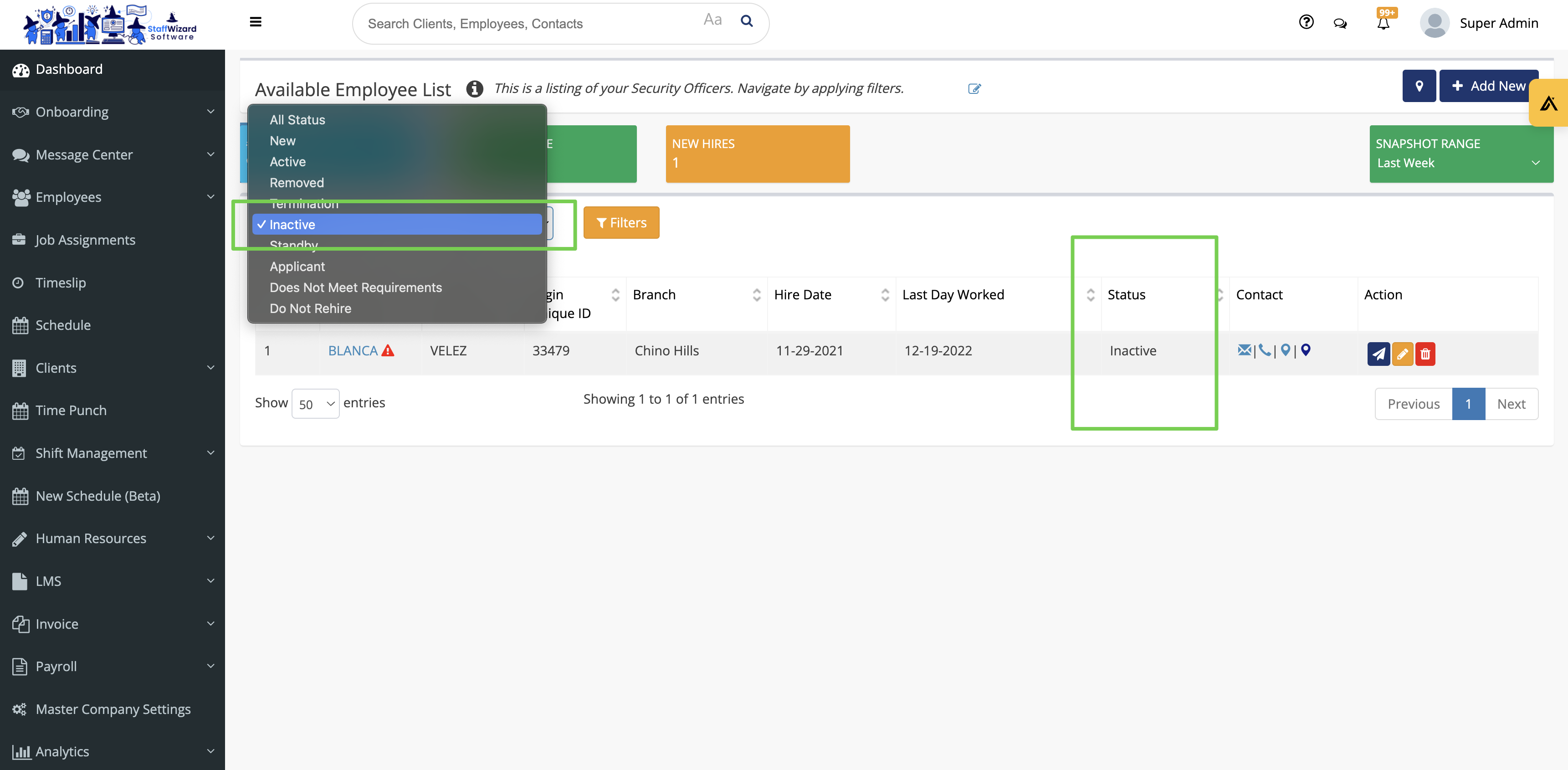
- Selecting the status filter will show different groups of employees who coordinate with the selected status.
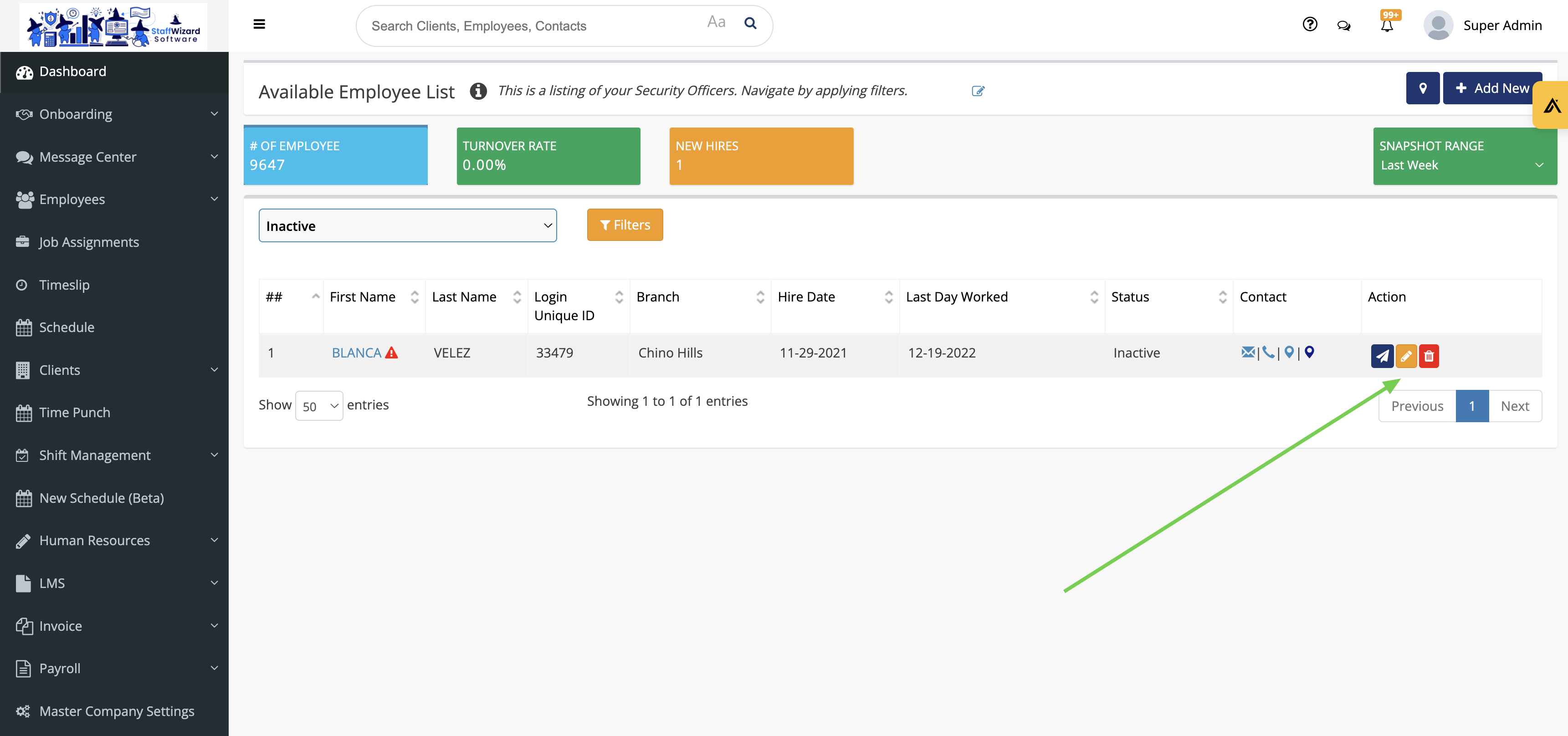
- The status of an employee can either be changed by hitting the orange "Edit" button.
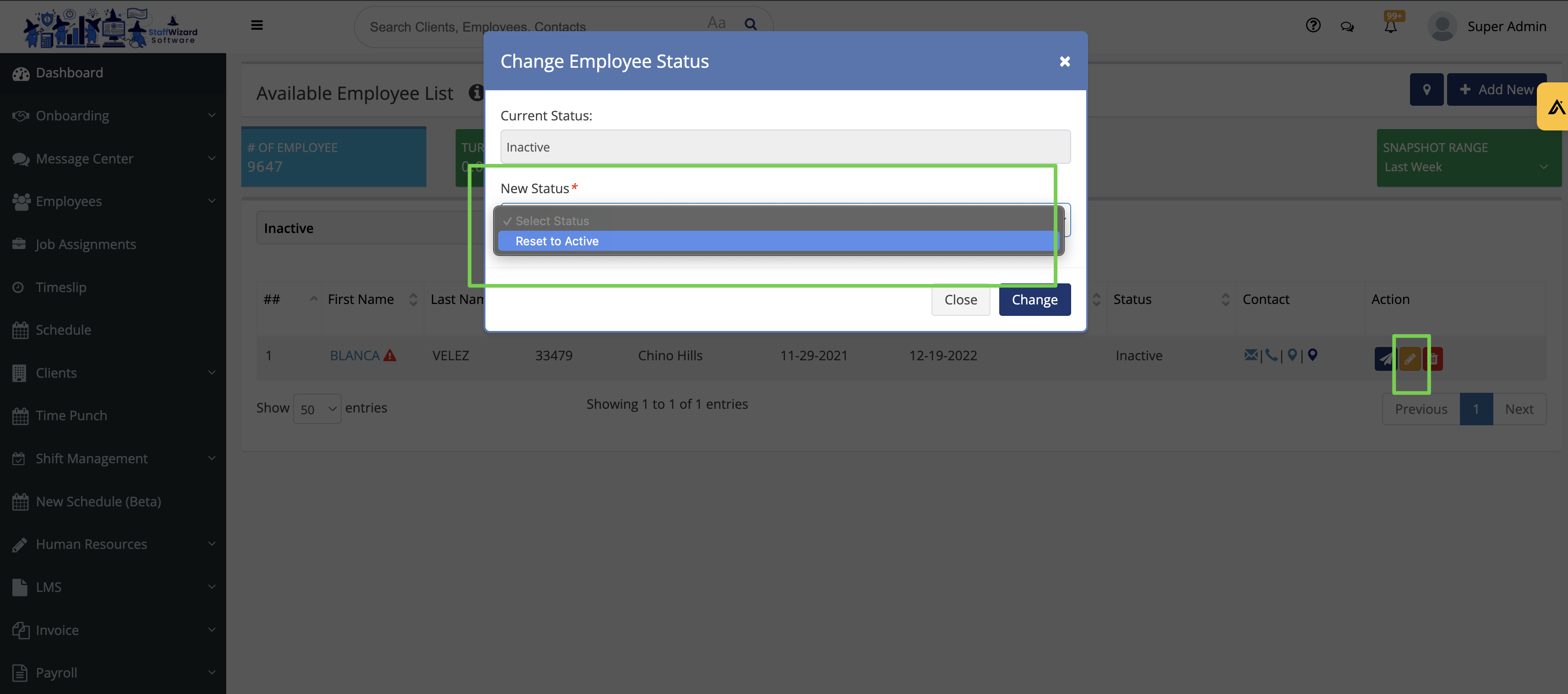
- Then update the status.
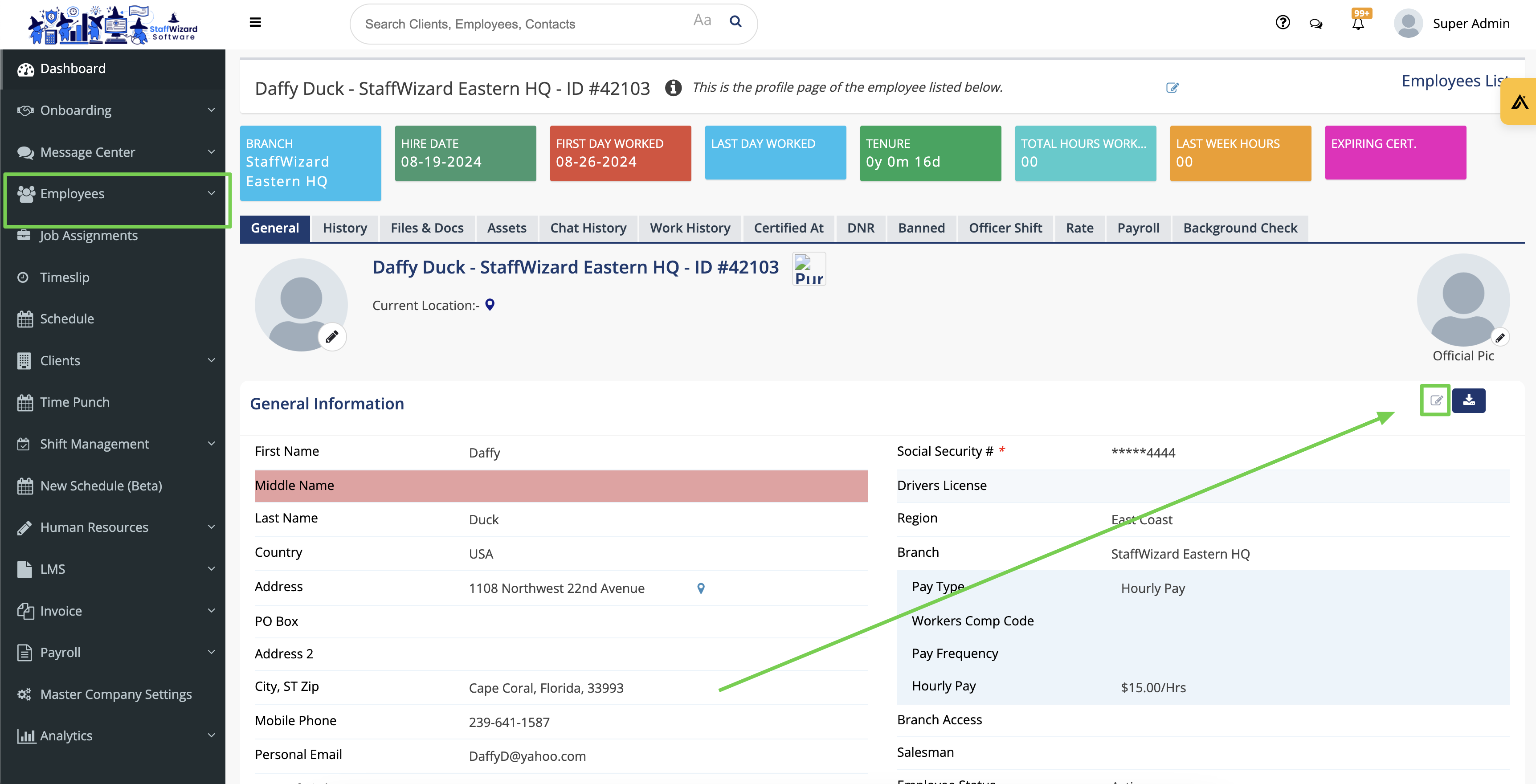
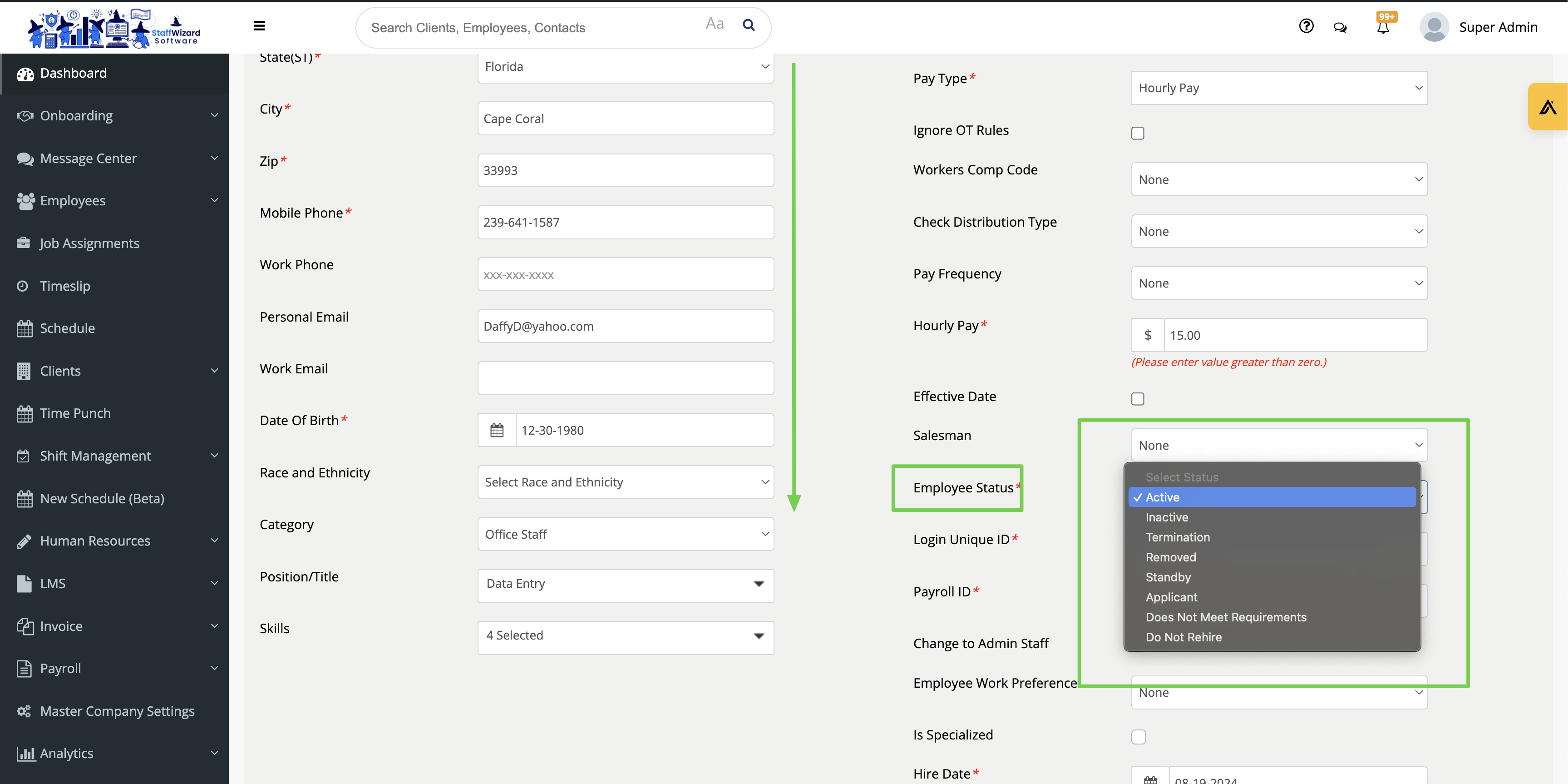
- To access granular reasons or set a termination, the employee's profile must be accessed. Hit edit then scroll down to select the "Employee Status".
- Then select the status.
Related to