Email notifications can ONLY be disabled for an entire branch. They cannot be disabled for an individual user.
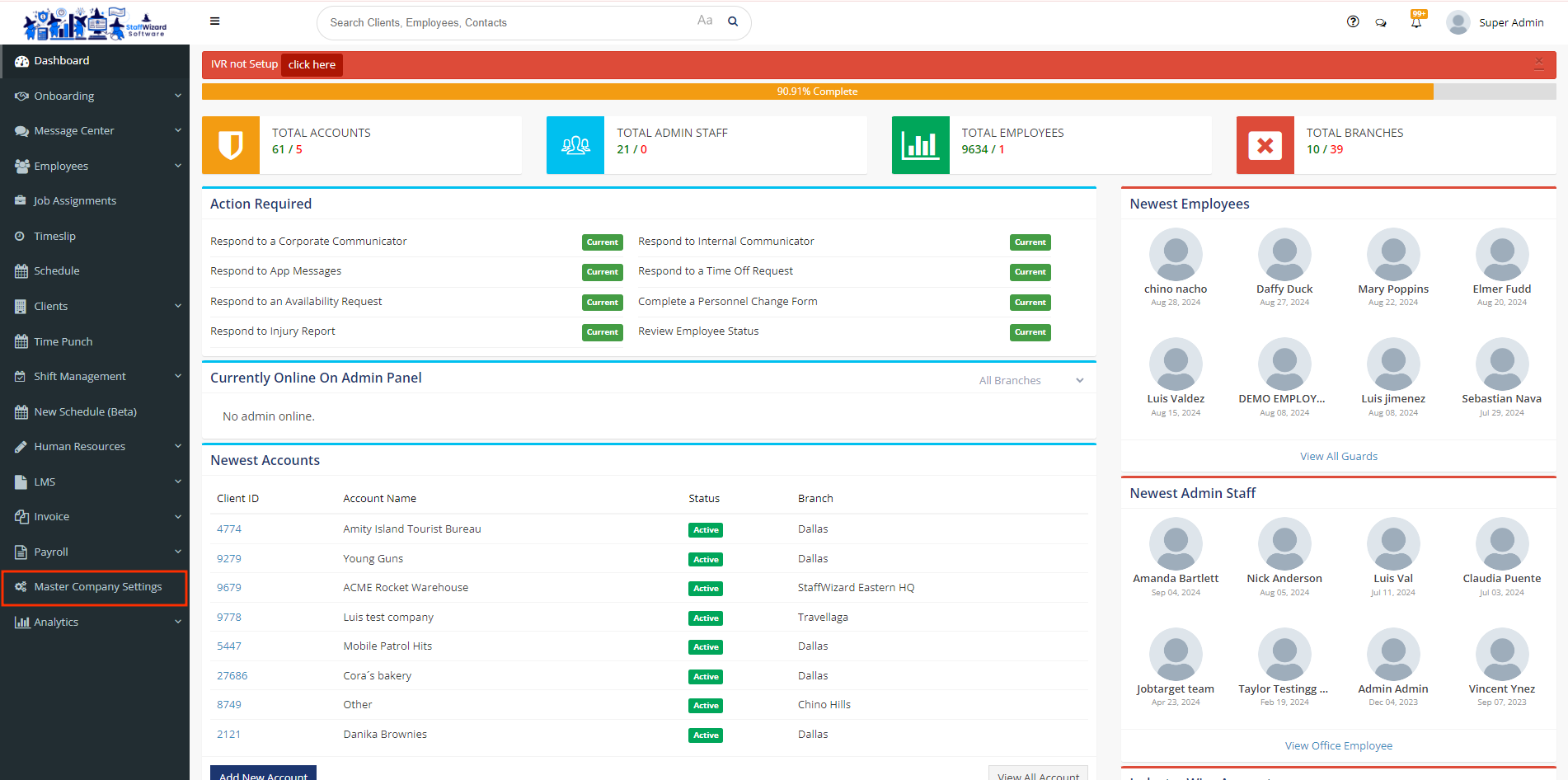
- To disable email notifications on a branch, first make your way to the "Master Company Settings" on the navigation panel.
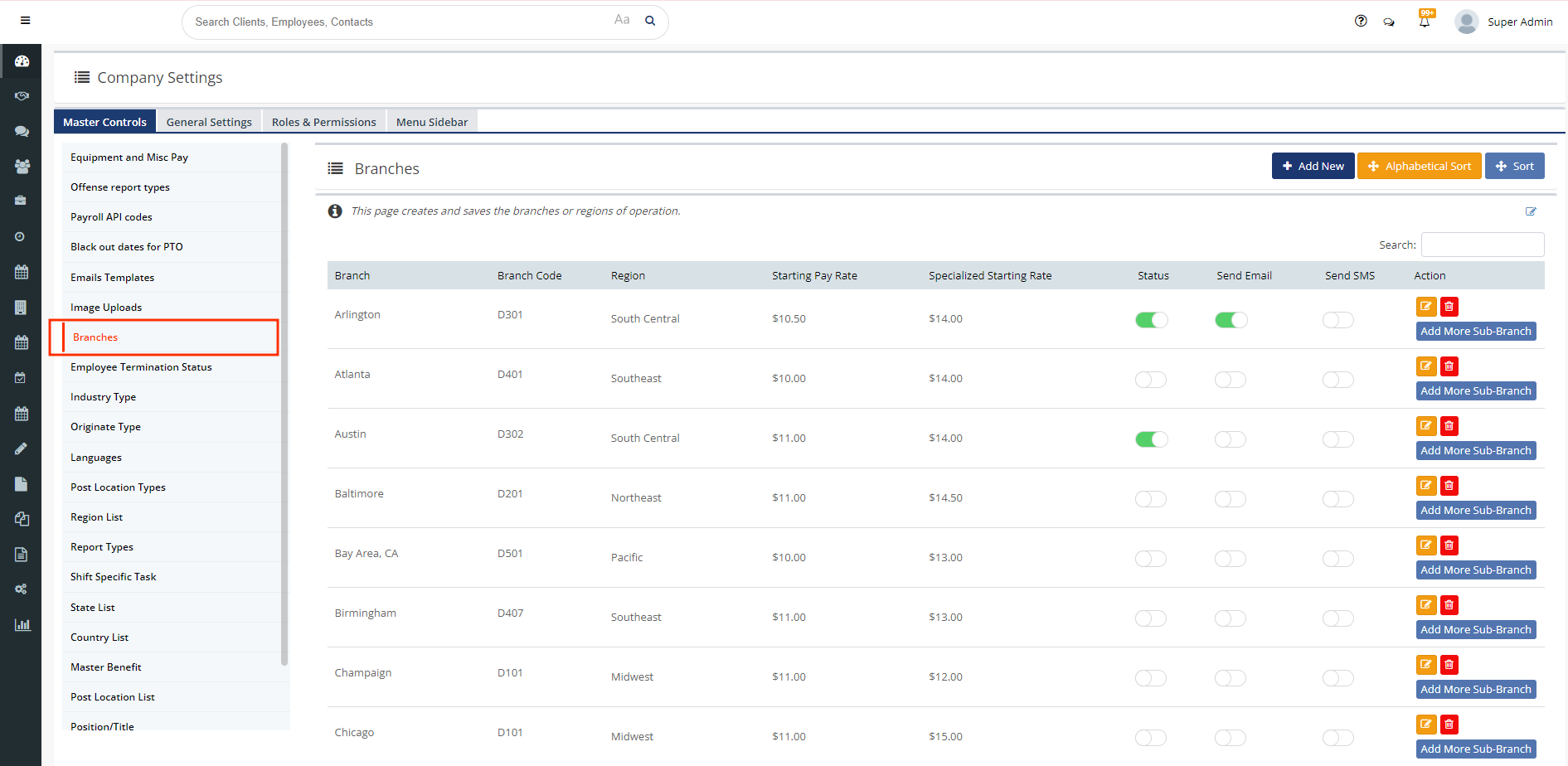
- Once you press master company settings from the navigation panel, on the left-hand side, select "Branches" from the menu within master company settings.
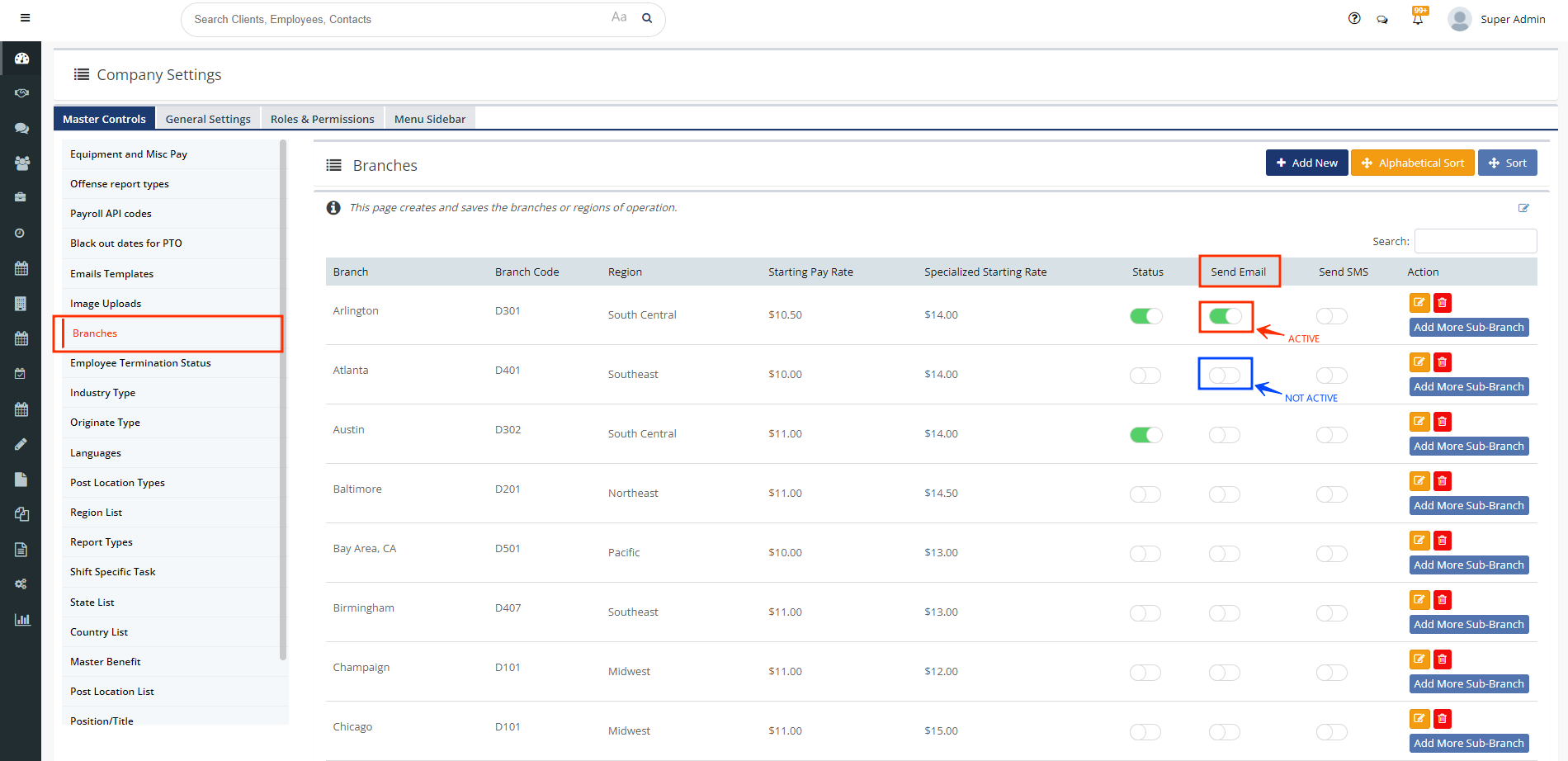
- In this area, you will be able to turn on or off Email notifications for the branch the status button coordinates with.
Related to