This article outlines how to create a manual invoice within the invoicing module.
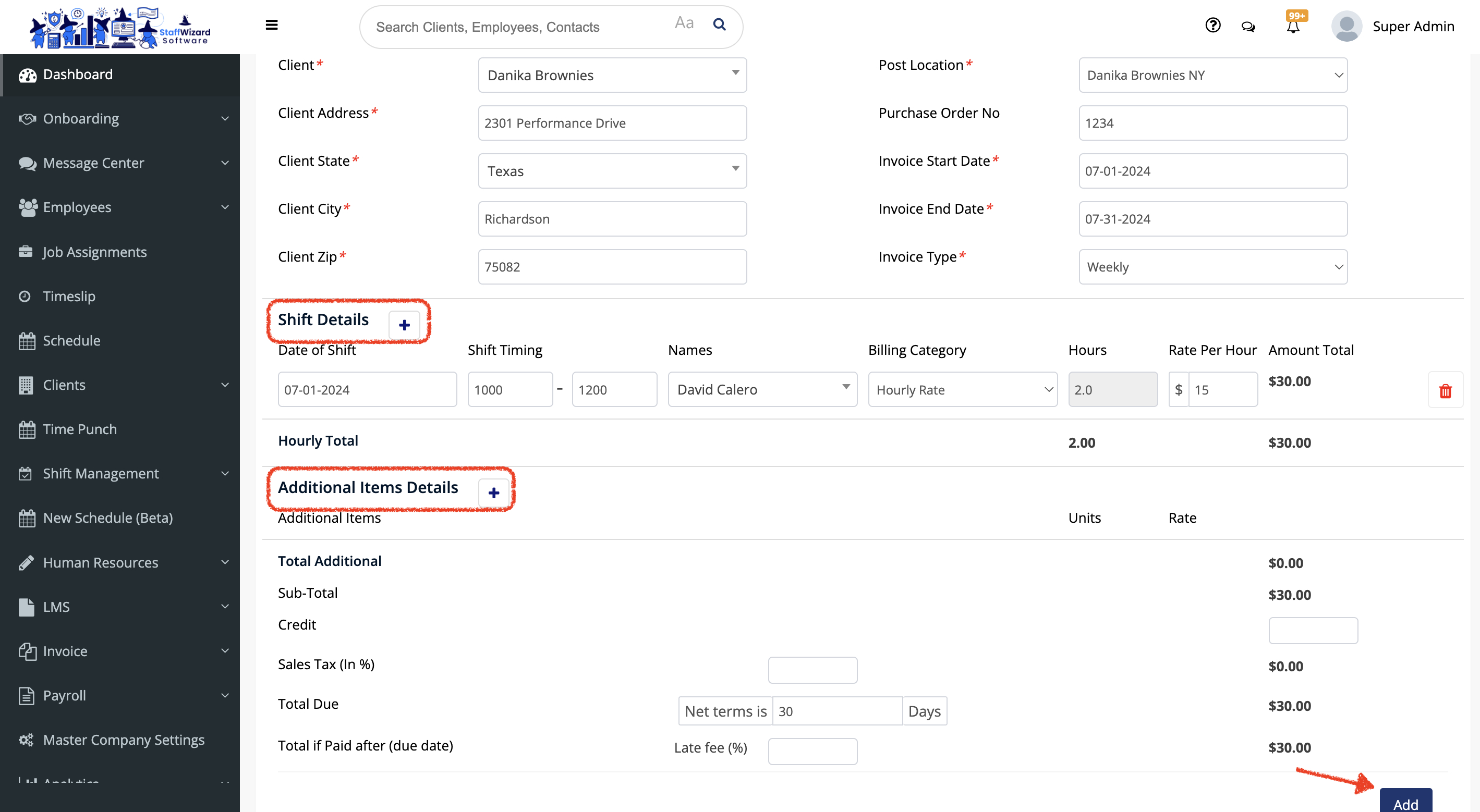
- On the main menu on the left-hand side of the StaffWizard page, under the 'Invoice' tab, select. "Invoice Report".
- On the page that was displayed, go to the [+ Add] button on the right-hand side on the top of the page to display the options and select "Add Normal Invoice".
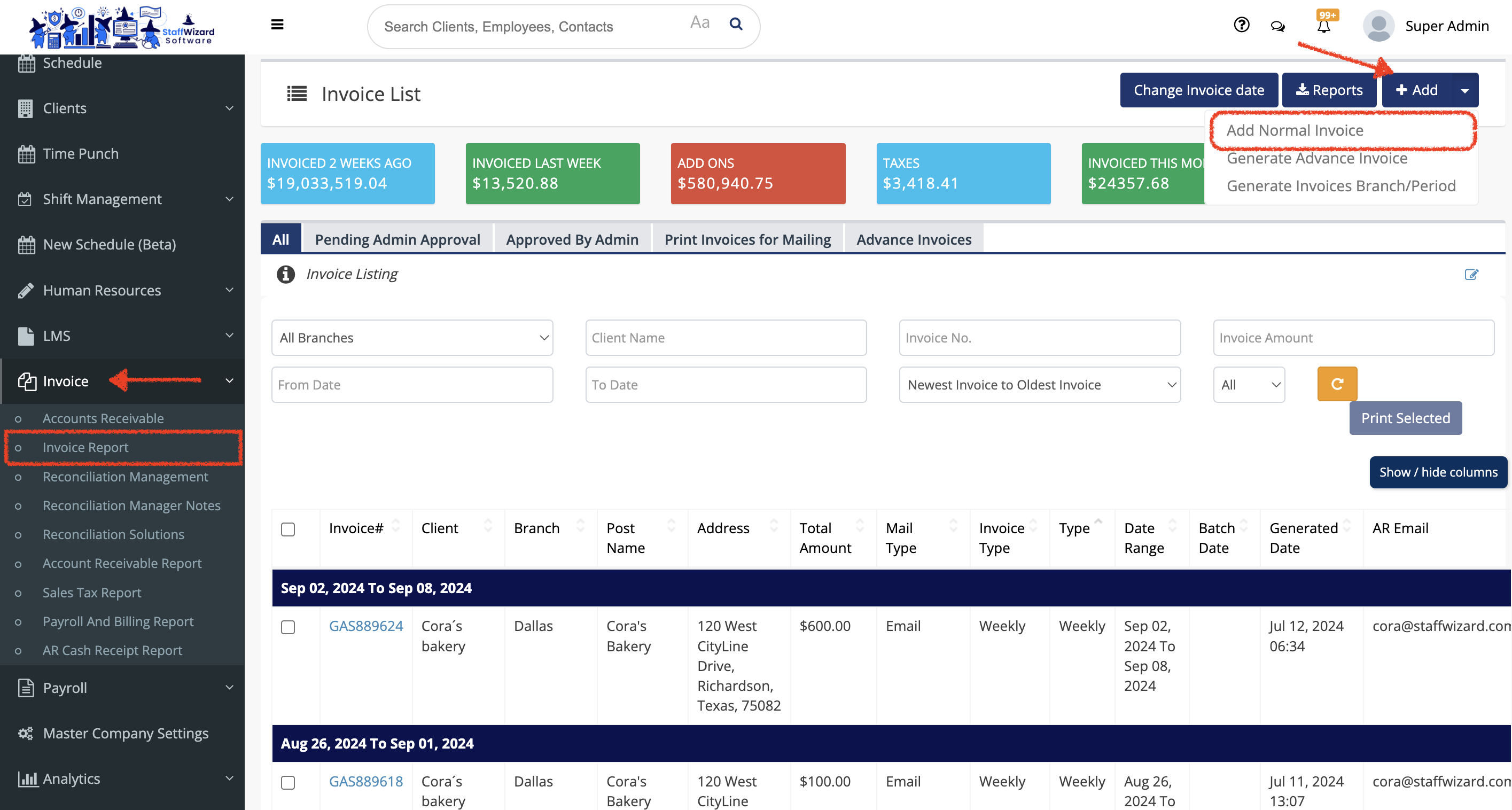
- A new panel will be displayed, and in here you wanna fill out the information required. You need to hit the [+] button on the 'Shift Details' section to display this option. Also you can add an additional item if needed in the 'Additional Items Details' section by hitting the [+] button to display this option.
- After checking that the information is correct, you can save the changes by clicking the [Add] button at the end of the panel.