To set up a Company ACA Policy, navigate to the "Company" module and click "ACA Policies".
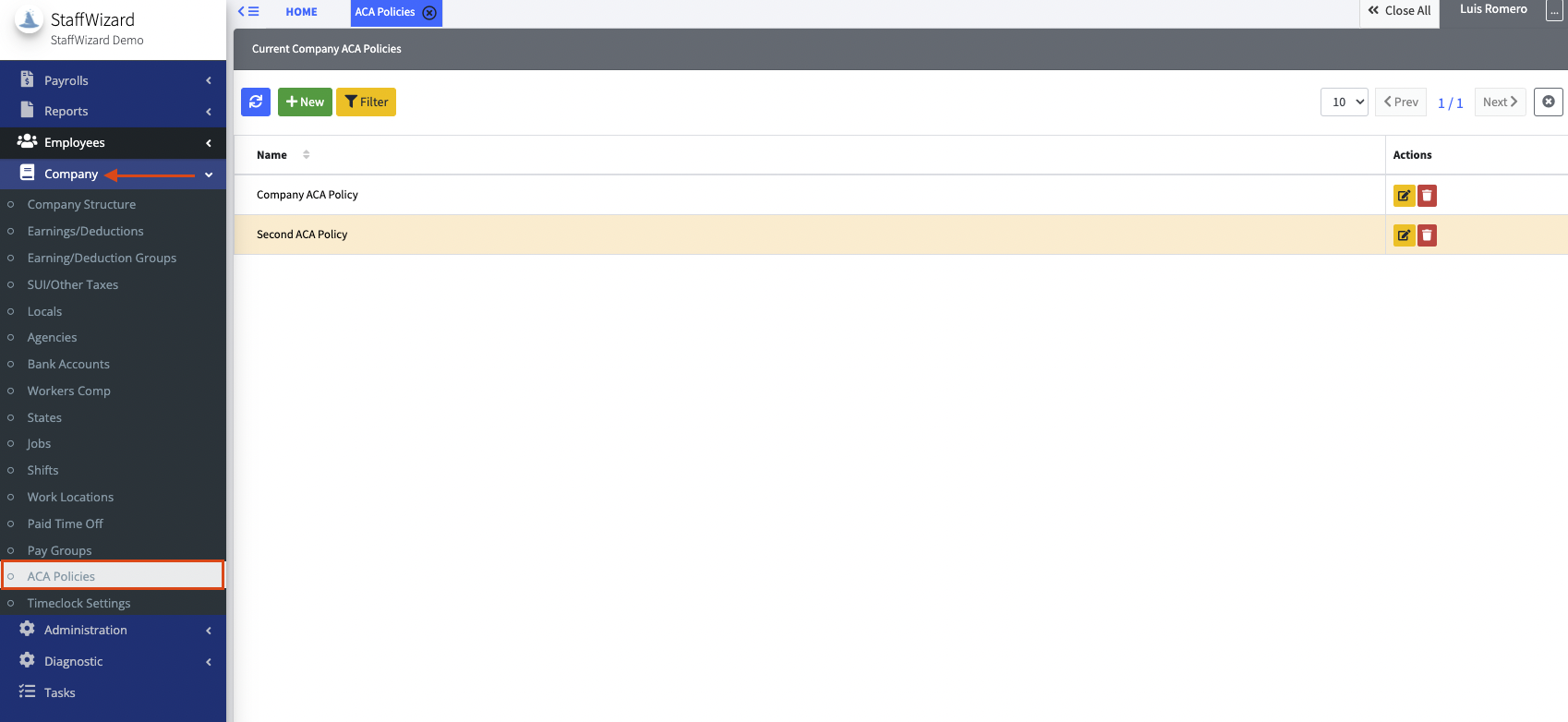
From this section, ACA Policies can be manually added, or existing ones can be edited.
- Select [+ New] button at the top left corner of the ACA policies tab to begin creating the policy.
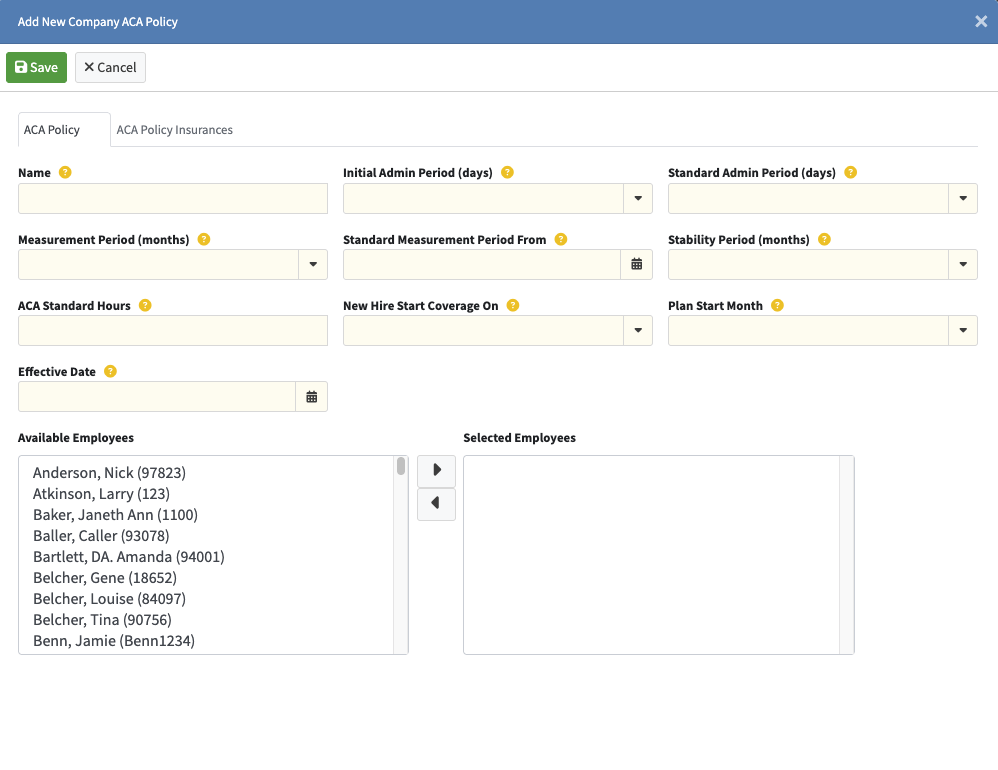
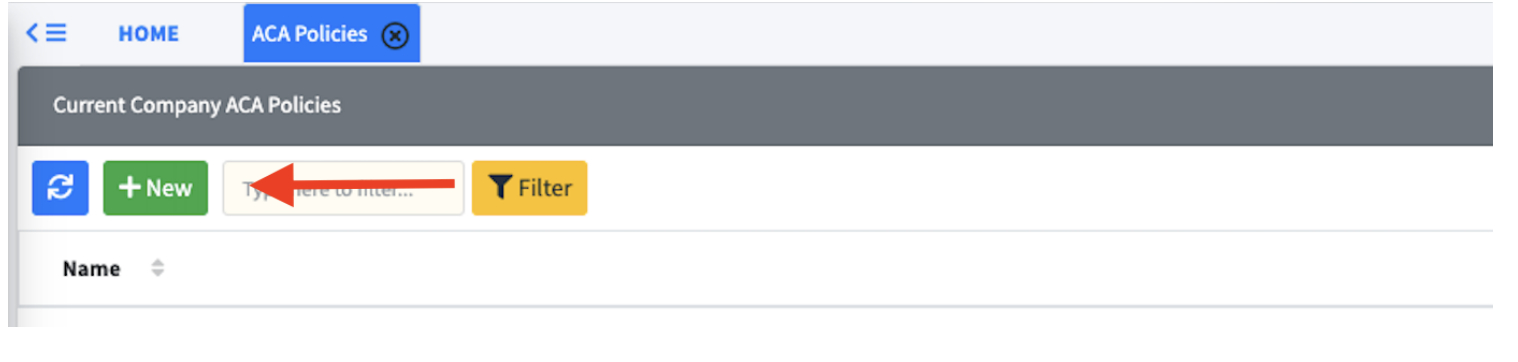 ACA Policy Tab
- The fields on this page define the behavior of the ACA Policy and set ACA code overrides for ACA reports (1095-C and ACA Preview). The overrides are defined on the ACA Policy Insurances tab.
- Name
- Initial/Standard Admin Period:
- The administrative period is an optional period of time
following the measurement period in which employers
can organize the information gathered during the
measurement period for purposes of determining which
employees to offer coverage to. The administrative
period typically ranges from 30 to 60 days but can be as
long as 90 under the regulations. Initial refers to new
hires where the standard is for existing employees.
- The administrative period is an optional period of time
- Measurement Period (months)
- The period of time in which employers measure an
employee’s hours of service and averages those hours
across the duration of the measurement period. The
measurement period can be anywhere from three to
twelve months. - Standard Measurement Period From
- Sets the beginning of the Standard Measurement Period calendar
for the particular ACA Policy with the subsequent Standard Measurement Periods starting “Measurement Period (months)” apart. The calendar applies to any employee assigned to this policy and can be looked at by clicking the “Show ACA Periods” button on the ACA tab of the Employee page.
- Sets the beginning of the Standard Measurement Period calendar
- Stability Period
- The period of time during which an employee may be
classified as part-time or full-time. Importantly, the
hours worked by the employee during the stability
period aren’t used to determine coverage eligibility;
rather the hours worked during the measurement period
are used.
- The period of time during which an employee may be
- ACA Standard Hours
- Hours that must be met to be considered full-time for
ACA. If left blank it defaults to 30.
- Hours that must be met to be considered full-time for
- New Hire Start Coverage On
- When new hires start coverage on. Can be immediately,
1st month, 2nd month, or 3rd month.
- When new hires start coverage on. Can be immediately,
- Plan Start Month
- Month the plan should start.
- Effective Date
- When the plan became effective.
ACA Policy Insurances tab
- You can set up multiple Insurances, each with the following
fields (Determine how the 1095/94 reports show ACA
information):- Start Date/End Date
- Full-time Coverage Code -
- Enter a code that will represent when an employee is full-time.
- Part-Time Coverage Code -
- Enter a code that will represent when an employee is part-time.
- Safe Harbor Code -
- Enter a code that will represent when an employee is insured.
Related to