The JobTarget Marketplace is your gateway to posting and managing job ads across multiple platforms directly through StaffWizard.
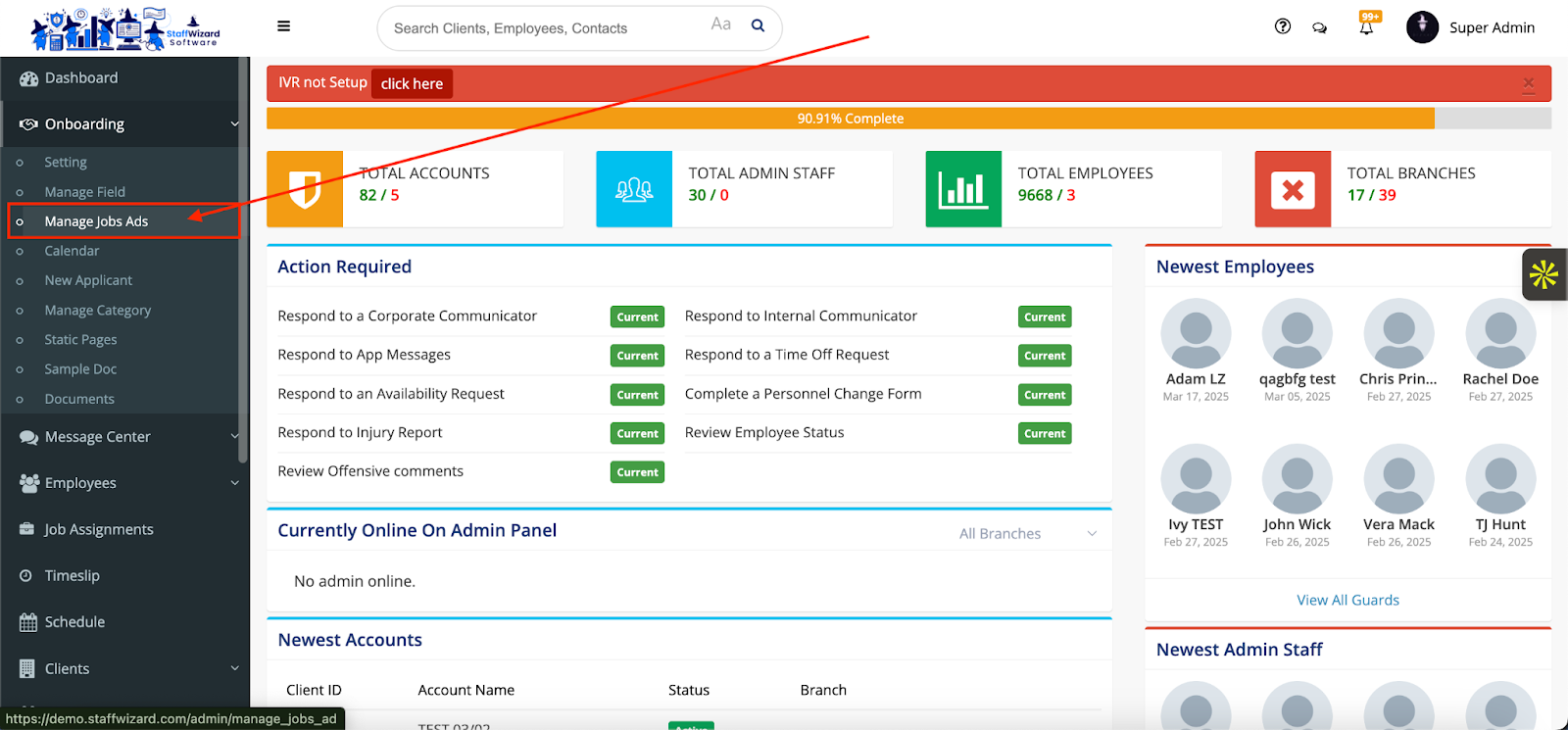
1. Navigate to the JobTarget Marketplace
- Go to the Onboarding tab on the left-hand menu.
- Select Manage Job Ads.
- Here, you can view all existing job ads and access JobTarget-specific features.
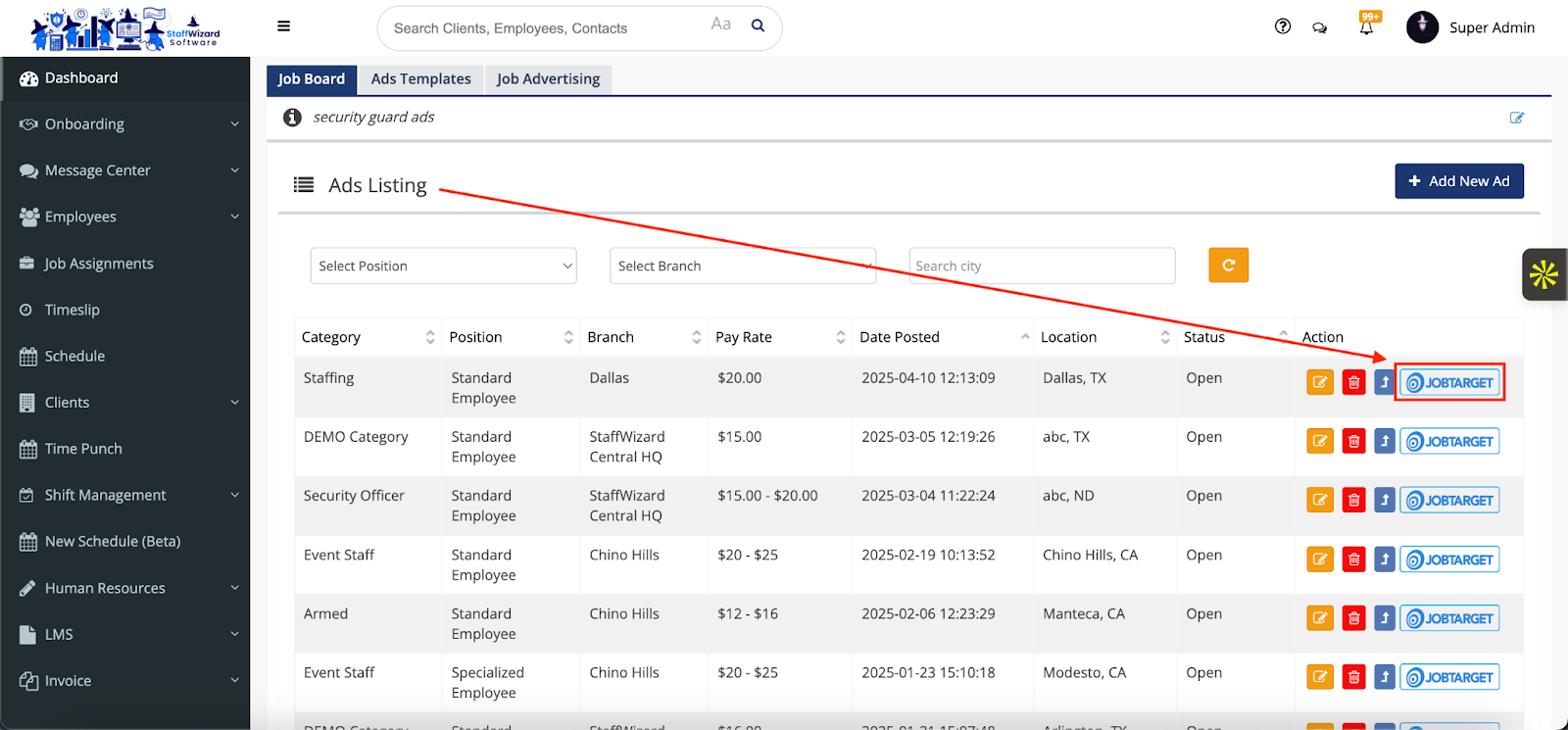
2. View and Edit Job Ad Analytics
- Each job ad listed will include a JobTarget button on the far right.
- Click the JobTarget button to:
- View performance analytics
- Edit job ad settings
- Manage ad distribution
- View performance analytics
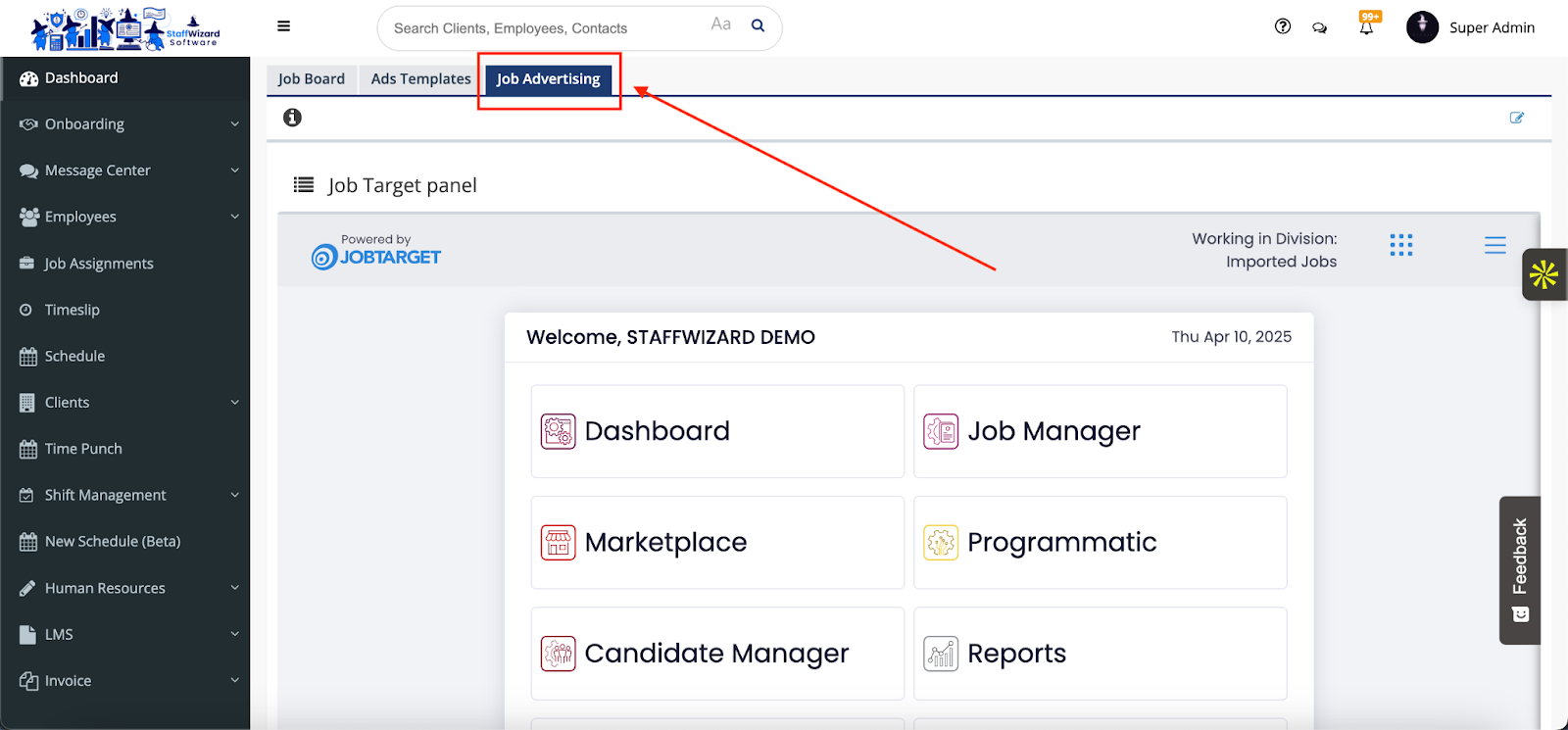
3. Access the Full JobTarget Dashboard
- For a more comprehensive view, click on the Job Marketing tab located at the top of the screen, just beneath the search bar.
- This will take you directly to your JobTarget dashboard, where you can:
- View analytics across all job ads
- Manage your marketplace settings
- Explore additional posting and tracking tools
- View analytics across all job ads
Related to